What's New
Every major release, newest first: V12's UPnP/DLNA and Internet Radio, V11's Infinity DSP v2, V10's HRRAI, back to V4's Precision Playback Engine.
What's New in V12
Out now: UPnP/DLNA from your phone, Internet Radio, Listening Profiles, Rsync and WiFi Transfer, plus Local Mode and a visibly faster, smoother UI.
All changes (10)
- iBasso DX320 supportAmp cards with Line Out and gain, both batteries in the status bar, Digital Filter, DSD Filter and PCM DSD Volume Match. Infinity DSP runs in both Android mode and Infinity Pure. Device matrix →
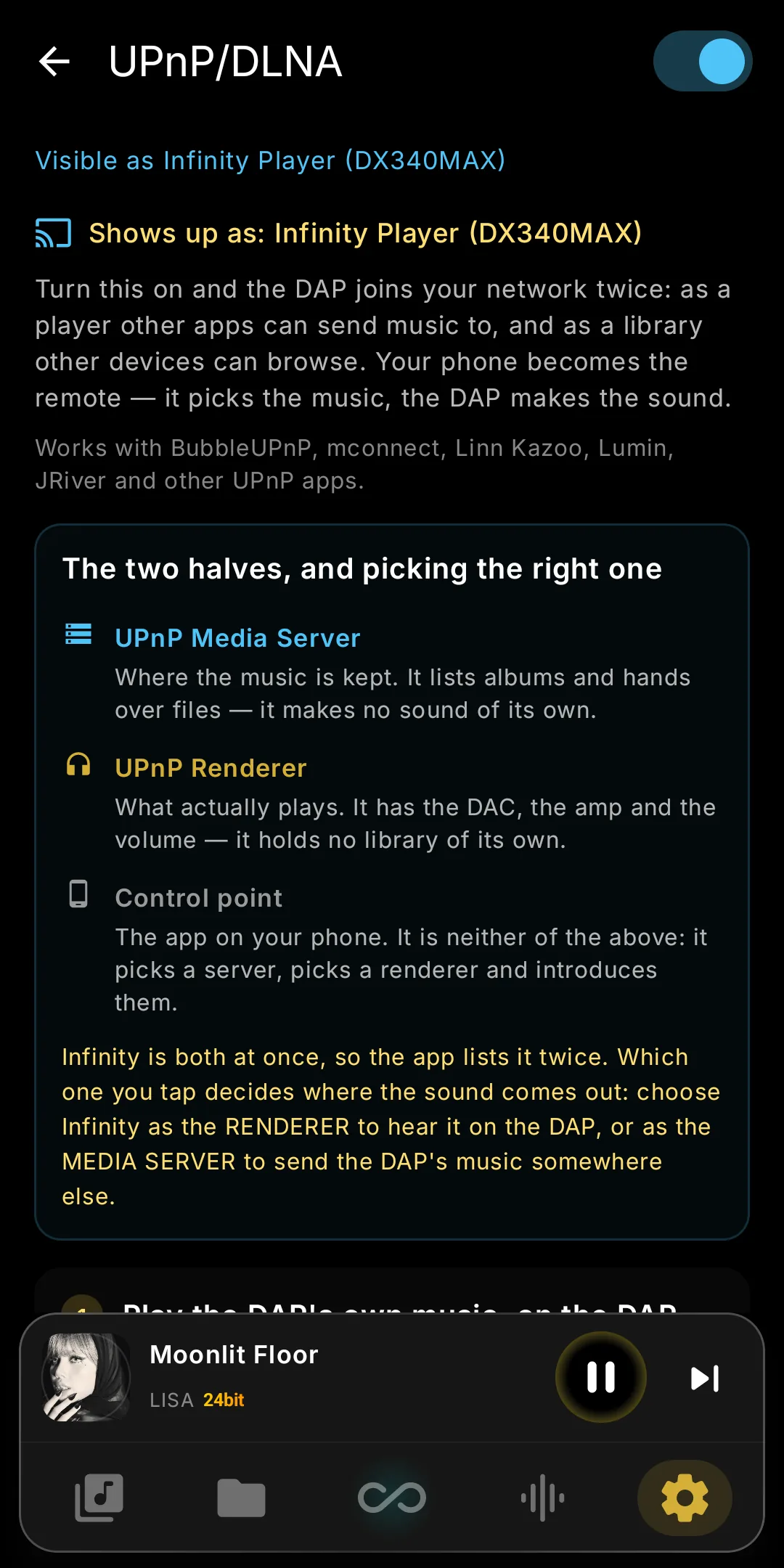
- UPnP / DLNA — play to your DAPPlay gapless, DSD included, from BubbleUPnP, mconnect, JRiver, Audirvana or foobar2000, and browse the library. The queue lives on the DAP; closing the app won't stop it. See it →
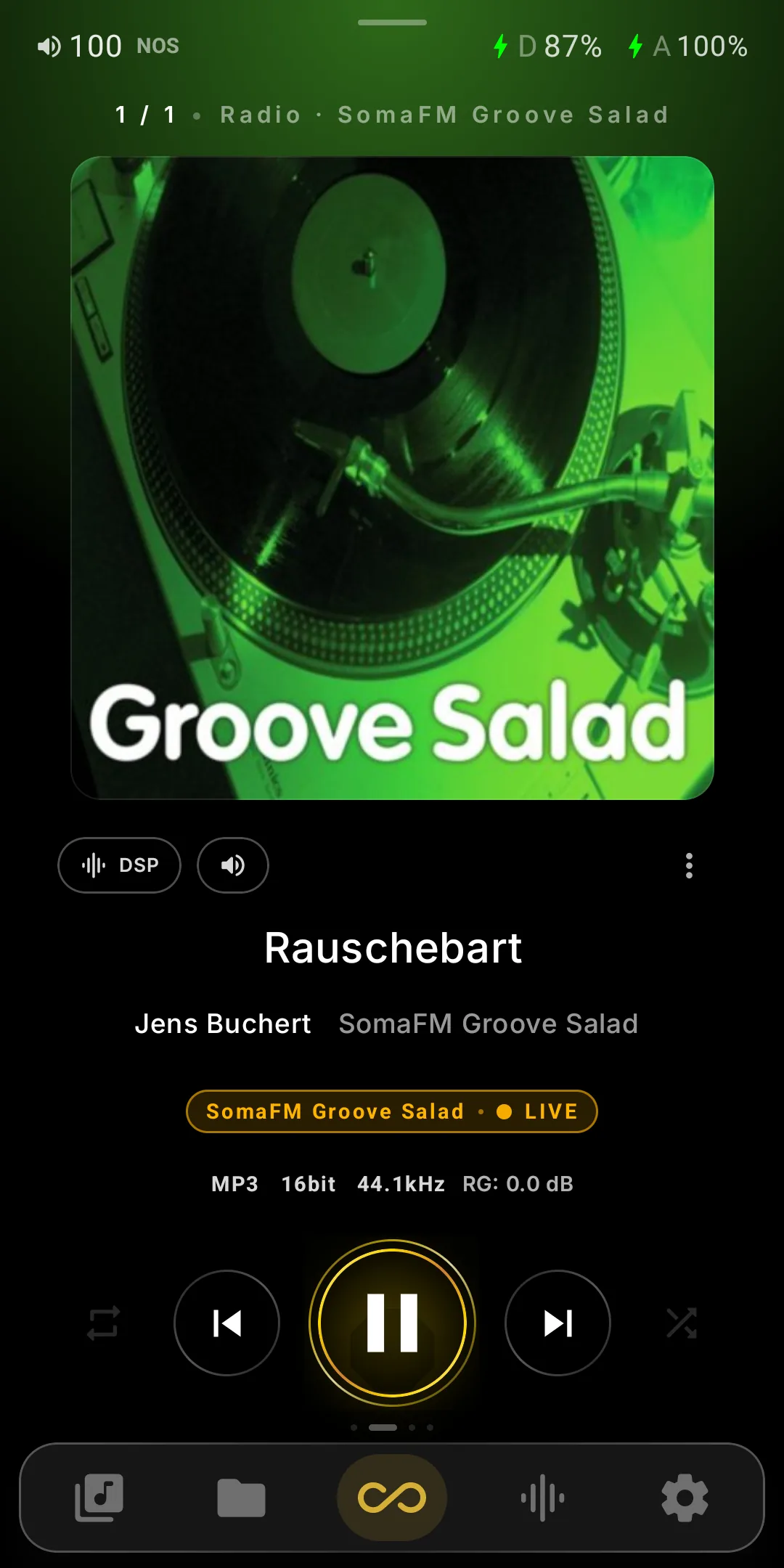
- Internet Radio87 stations built in (SomaFM, NTS, some lossless), plus your own links, live artist/title and .m3u import/export. Browse tens of thousands more by name, genre or country. See it →
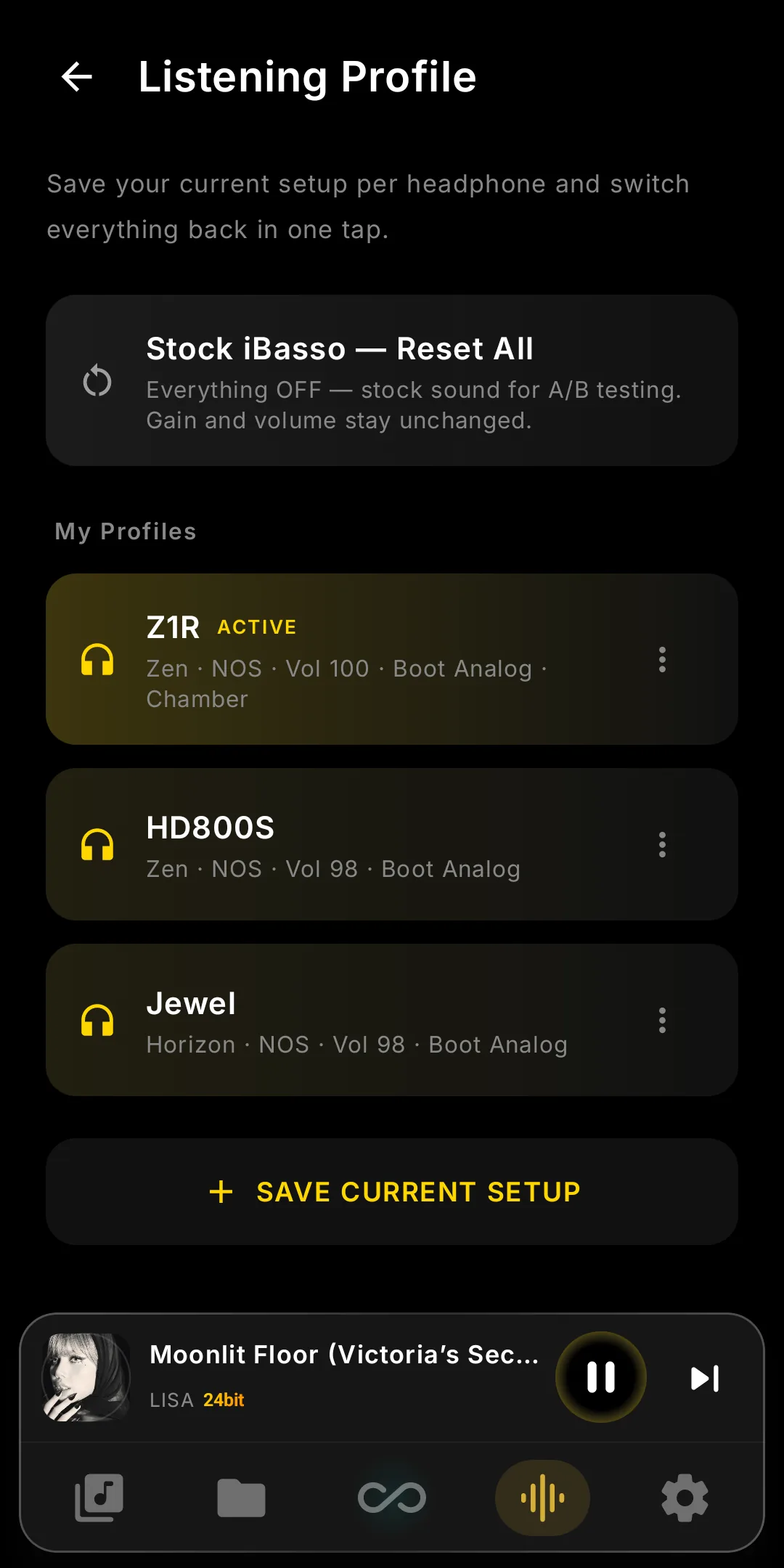
- Listening ProfilesSave a headphone's whole setup — Harmonic, NOS/OS, filters, gains, EQ, PEQ, Tube/Vinyl/Chassis, DSD Remaster or HRR, Boot and Stage — and restore it in one tap. See it →
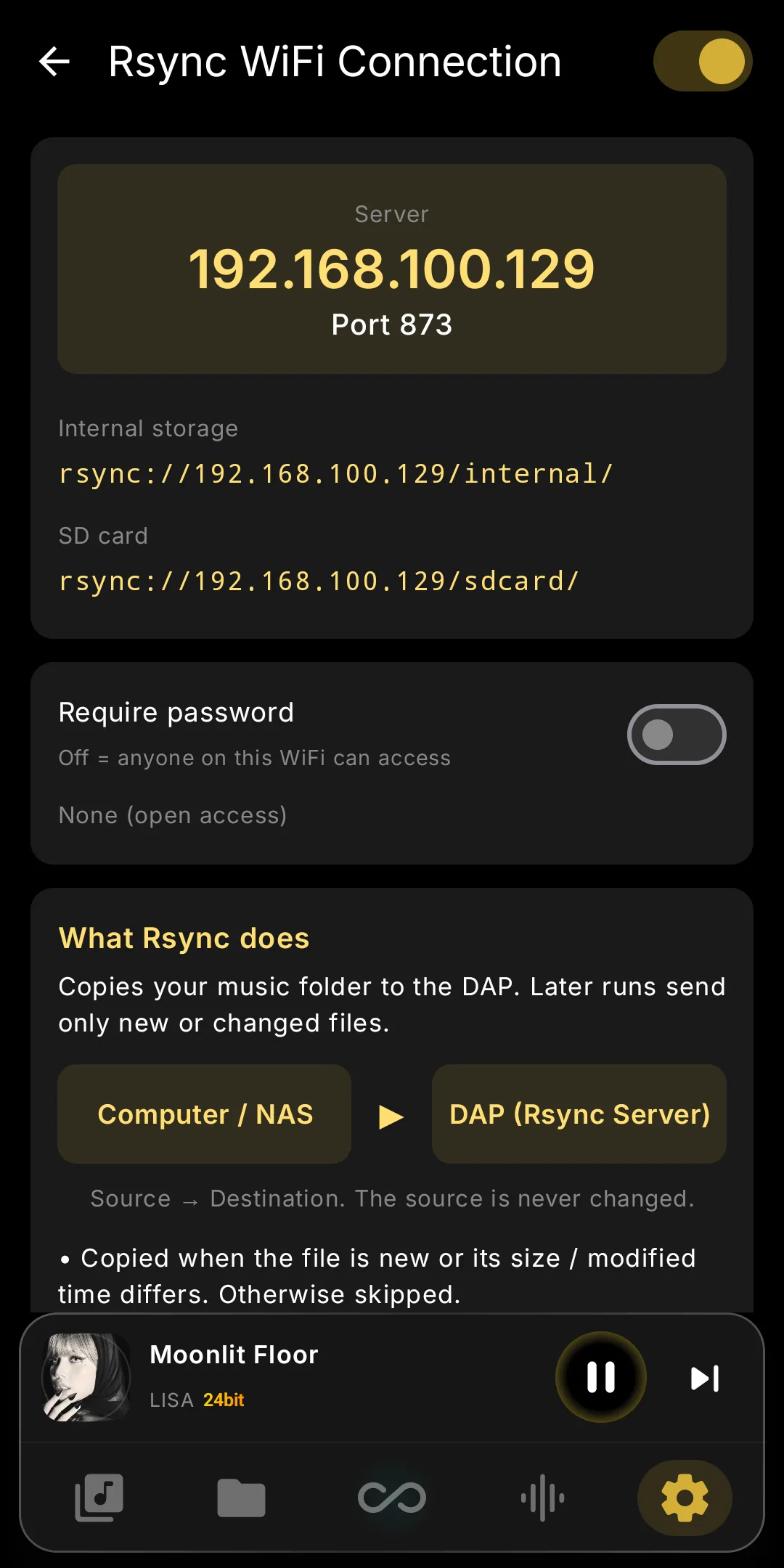
- Rsync serverSync music from a computer or NAS: only new or changed files copy, interrupted runs resume, the library updates itself. Built-in guides: Windows, macOS, Synology, command line. See it →
- WiFi Transfer, on its own pageSwitch, QR code, address and free space (internal and SD card) in one place. Uploads, moves and deletes, even from Folders, reach the library in seconds — no rescan.
- Local ModeOne switch for offline listening: Wi-Fi and Bluetooth stay off, even after an app restart, streaming buttons grey out and network features pause until you switch back.
- Faster, smoother UIVisibly quicker than V11: unused telephony daemons stop after boot, two crash-loops gone, lower idle CPU, GPU clock held during playback. Lists scroll without stutter; transfers no longer pause playback.
- Harmonic: live OFF, and it stays onHarmonic OFF no longer reboots the DAP: the FPGA stops shaping instantly and system tuning returns to stock. Fixed: Harmonic silently switching off seconds after every boot.
- Device Info: voltage graphsMain and Amp battery rows graph five minutes of voltage and swing: how hard the amp pulls each cell. Current in mA on every model; Settings opens with network tiles.
What's New in V11
Infinity DSP v2: physics-modelled Tube, Vinyl, Chassis, in Android mode too — plus Parametric EQ, public Ultimate Enjuku, DX260MK2, AMP19 and 2× faster track changes.
All changes (12)
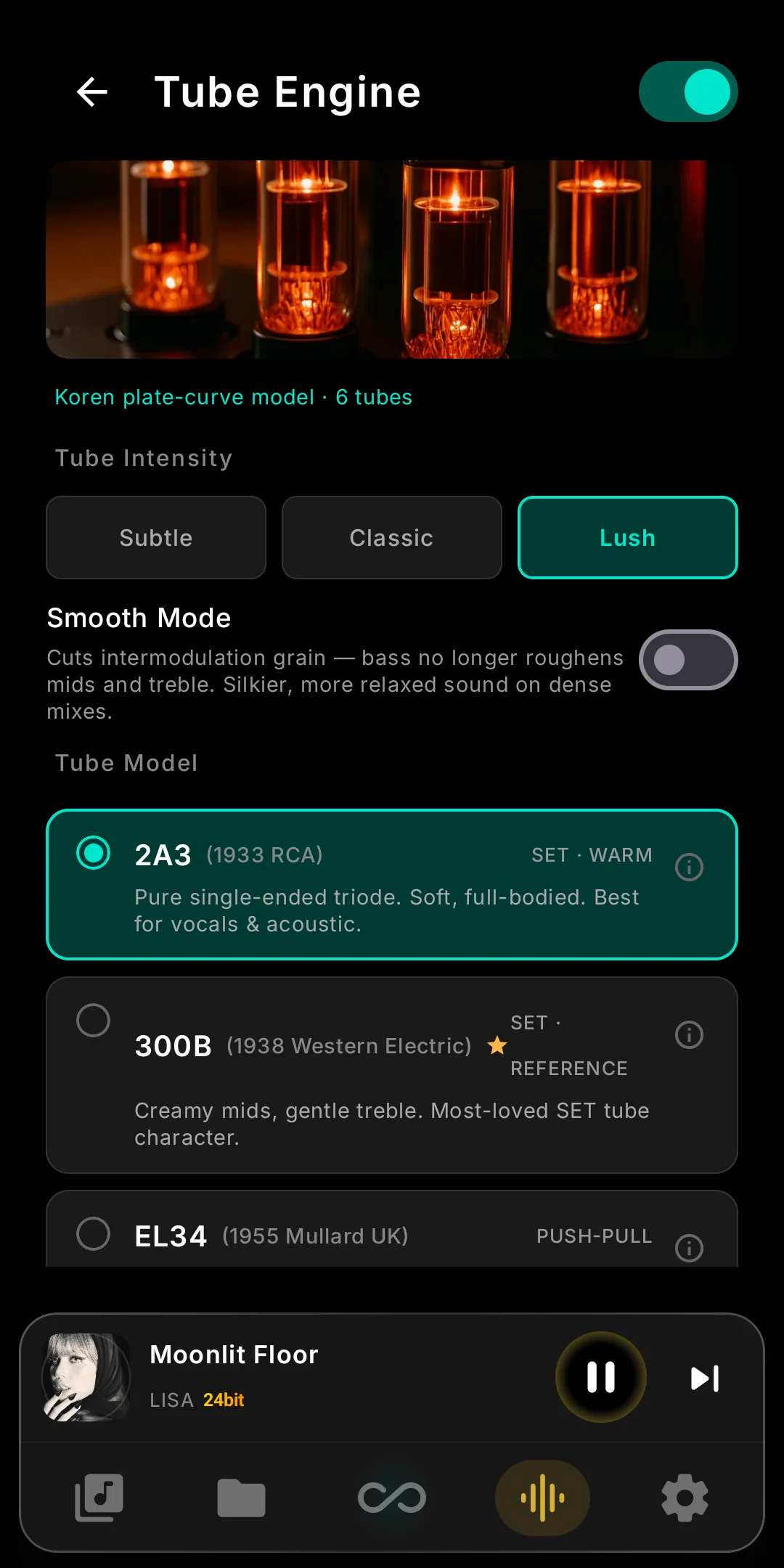
- Infinity DSP v2 — Tube EngineSix tubes (2A3, 300B, EL34, KT88, 6L6, 12AX7) modelled from real plate curves: harmonics come from the tube, not presets. Subtle, Classic or Lush, plus Smooth Mode. See it →
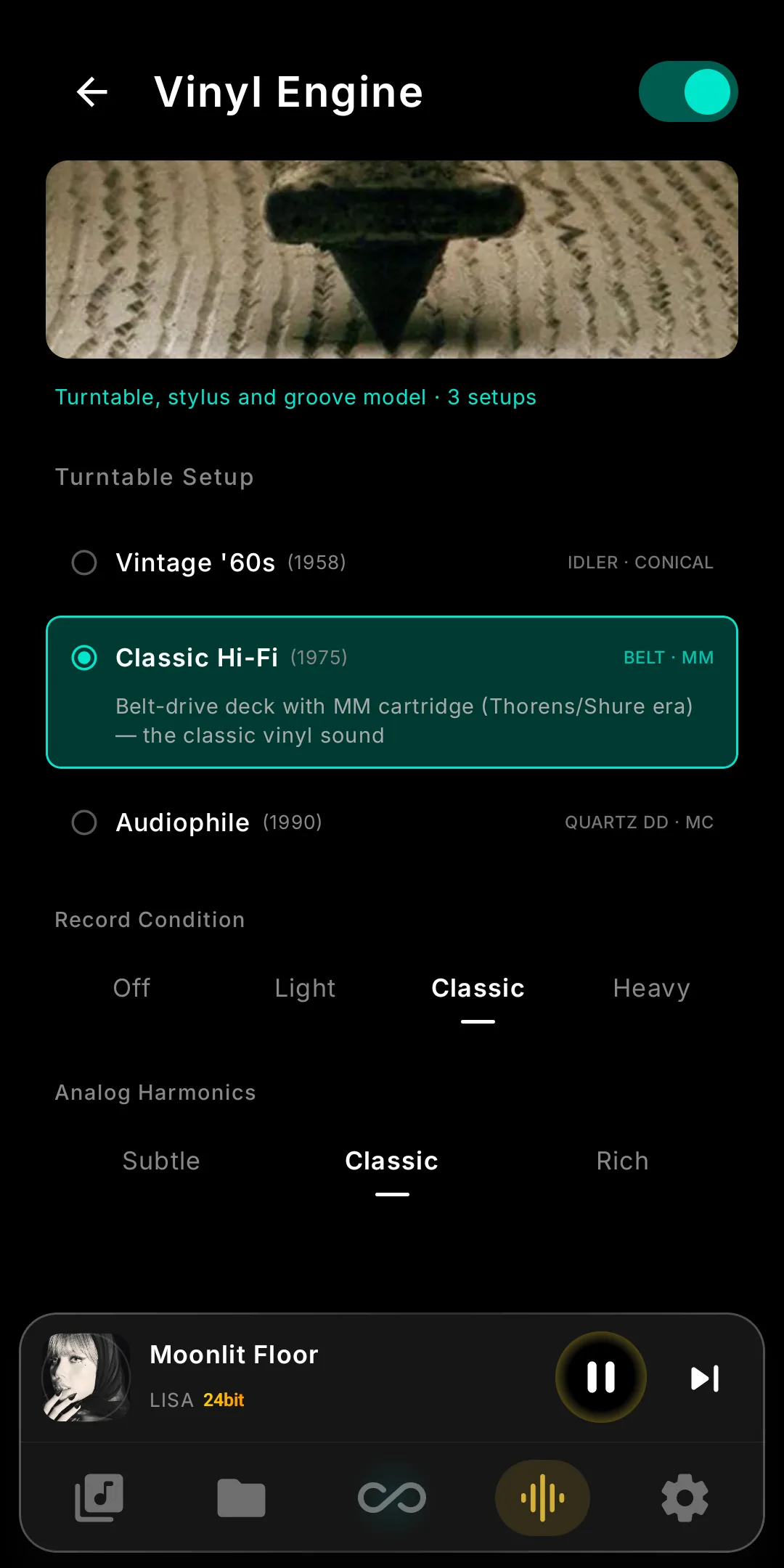
- Vinyl EngineRebuilt on record physics: three turntable setups — Vintage ’60s idler/conical, Classic Hi-Fi belt/MM, Audiophile quartz-DD/MC — plus Record Condition, Analog Harmonics, stylus tracing and 33⅓-rpm-locked wow.
- Chassis EngineThree chassis — Copper, Stainless Steel, Titanium — differ where real ones do: background blackness, image width, and how long the material rings. The music passes untouched.
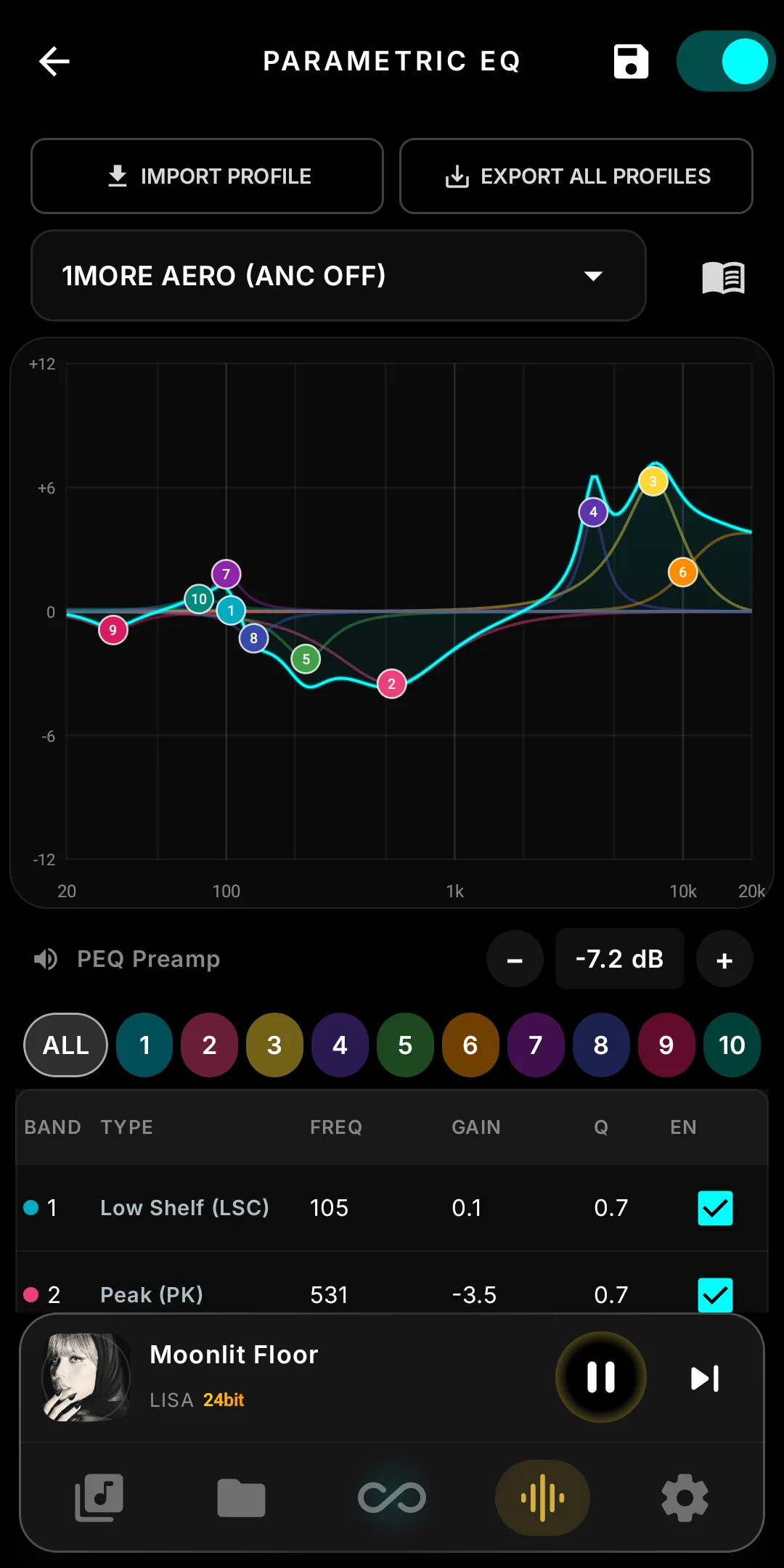
- Parametric EQTen parametric bands on a live response graph you drag, one-tap AutoEQ/oratory1990/Squig import, a built-in filter-type guide, and an Intensity slider on the 10-band EQ. See it →
- Introducing Ultimate EnjukuA second FPGA image for the DX340 and DX340Max, with its own sigma-delta character and no unlock code. The Harmonic Exciter runs on top; each preset has a one-line description.
- iBasso DX260MK2 SupportInfinity Pure, the full Infinity DSP suite in both modes, five CS43198 digital filters, Low/Mid/High gain, Line Out switching and its own wallpaper. Full matrix →
- AMP19 Support (DX340)iBasso’s tube-hybrid card: the Output switch shows its two stages, Super A / Tube, the Now Playing badge follows, and DC-IN SuperGain engages through the card’s own gain stage.
- Infinity DSP in Android ModeTube, Vinyl, Chassis, Crossfeed and Invert Phase no longer need Infinity Pure: they apply live and debut on DX180 and DX320MAX. DSD Remaster and HRRAI still need Pure.
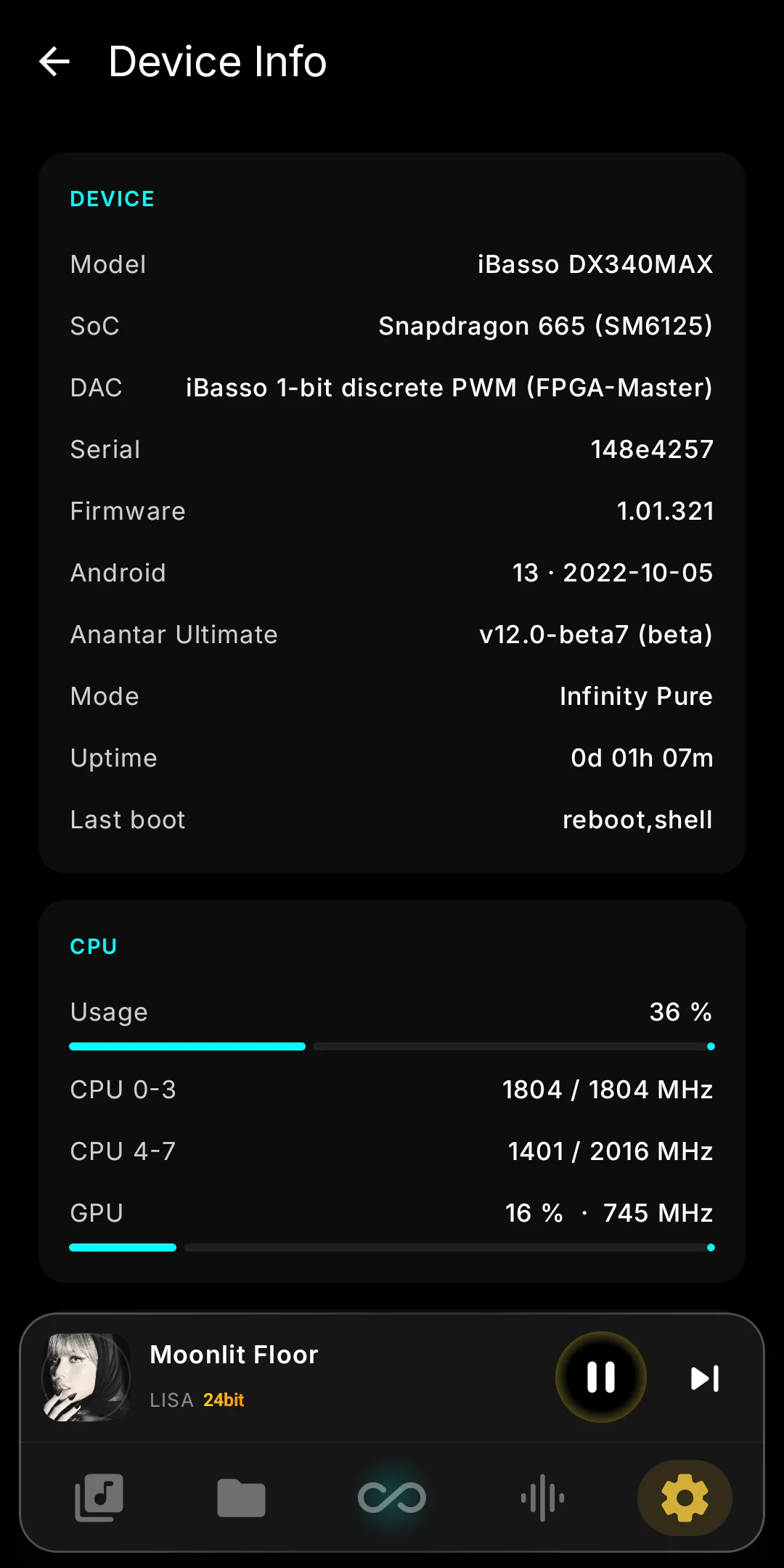
- Device InfoSoC, DAC, firmware and module version; live CPU/GPU/RAM; flash type and health; both batteries' cycles and health (SOH) from the fuel-gauge chip; every key temperature. See it →
- Faster, Fuller PlaybackTrack changes in ~0.6 s, not ~1.3 s; CUE tracks near-instant; MP3 dynamic-range scans 68× faster. With DSD Remaster off, all four CPU cores serve playback: fuller bass, steadier sound.
- Library & TagsA SONGS tab on every category page, LOVE-list sorting, clean multi-artist credits instead of “A;B”, file size in the Tags panel and L/R balance up to ±20.
- FixesNo more AMP16 AB → Tube channel drop, DX320MAX black screen entering Infinity Pure, app restarts on phantom SD-card events, or static switching DSD → PCM with DSP on.
Older releases — V10.5 back to V4
What's New in V10.5
Invert Phase, a Missing Tag fetcher, TrueNOS on DX340Max, duplicable Harmonic profiles, full Amp16 support, queue-to-playlist, redesigned Now Playing, Software Volume and Volume Knob.
All changes (11)
- Invert PhaseFlip both channels' absolute polarity from Infinity DSP — for pressings and transfers cut out of phase. Level and timing don't change. Details →
- Missing TagFinds tracks with incomplete metadata, fetches candidates from several sources and lets you review each field. Nothing is written to your files until you say so.
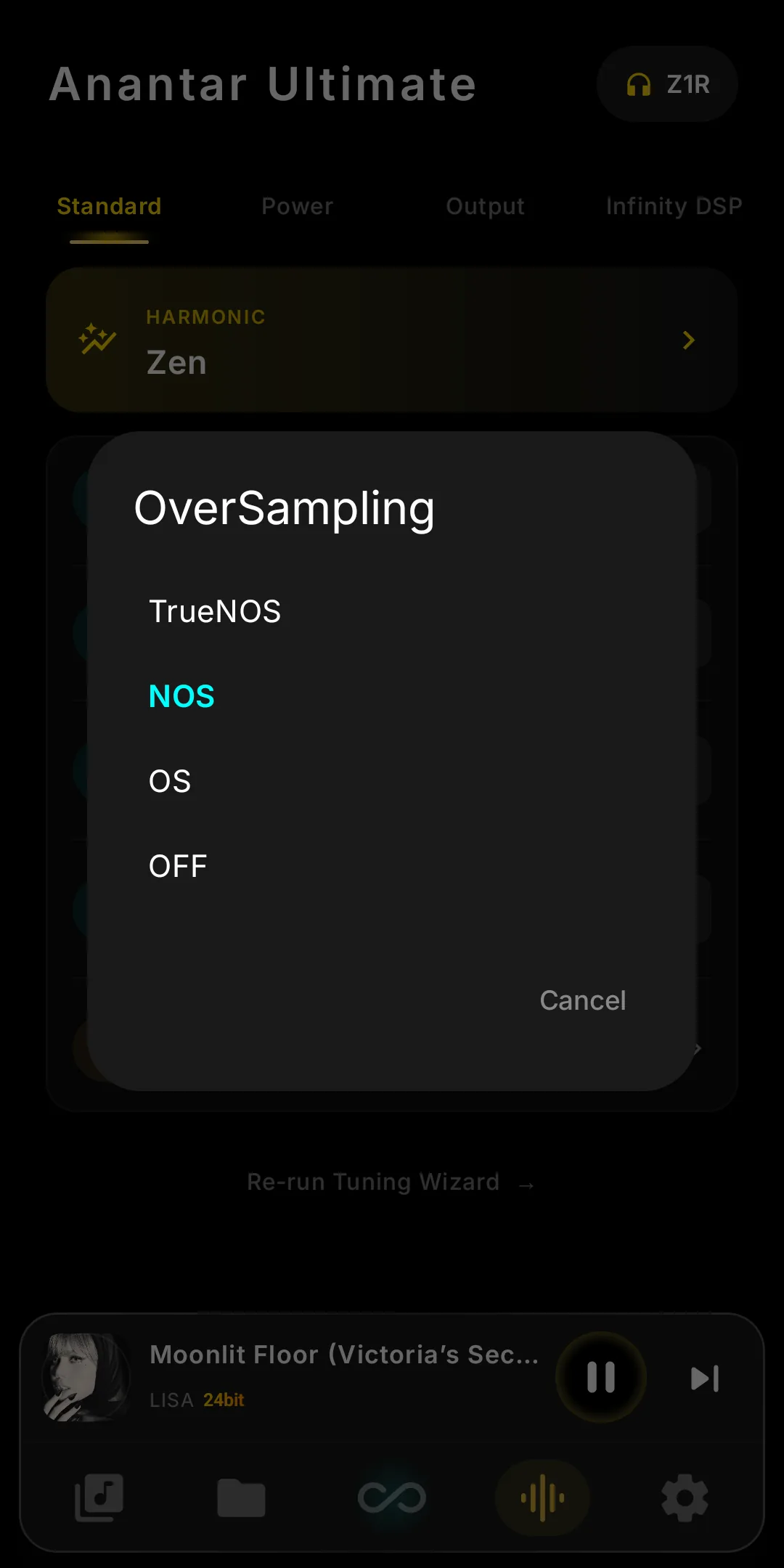
- TrueNOS on DX340MaxThe DX340Max gets true non-oversampling: the DSP comes fully off the factory oversampling path, not an approximation — as on the DX340.
- Duplicate Harmonic ProfilesCopy any custom Harmonic profile and tune the copy — A/B a variation against the original without rebuilding all nine bands. DX340 and DX340Max only.
- Amp16 SupportFull compatibility for the Amp16 card — detected on boot and given its own amp tuning, alongside the amp modules already supported on the DX340 family.
- Queue → PlaylistSave whatever is playing right now as a new playlist in one action — the whole queue, in order, without rebuilding it track by track.
- Software Volume & Volume KnobSoftware Volume Control for devices and outputs without hardware attenuation, and Volume Knob Control to map the physical knob your way.
- Tag Details on the Track PopupThe track popup now shows the full tag set — every field the file carries, without leaving the list you are browsing. Tap a track to open it.
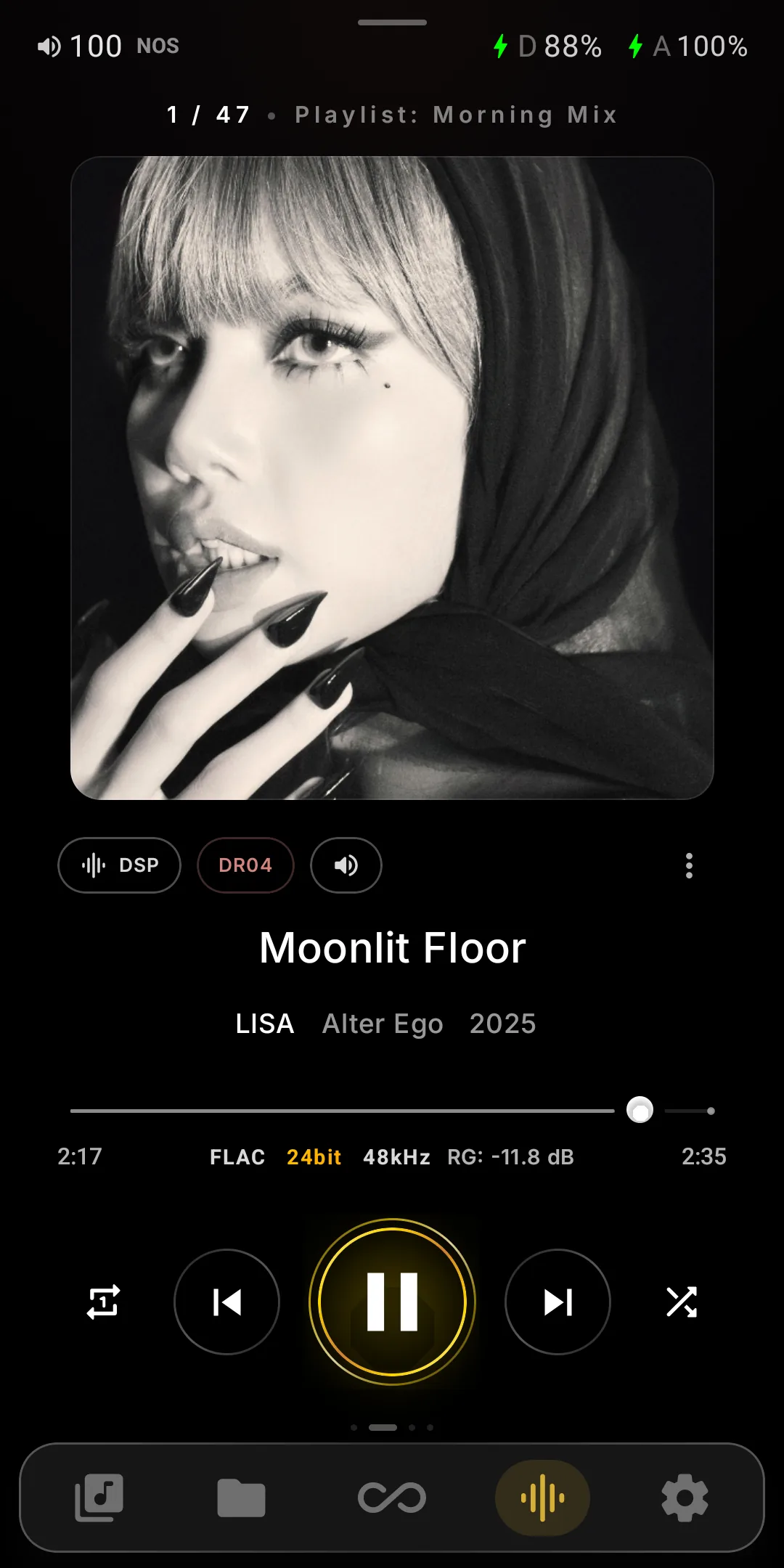
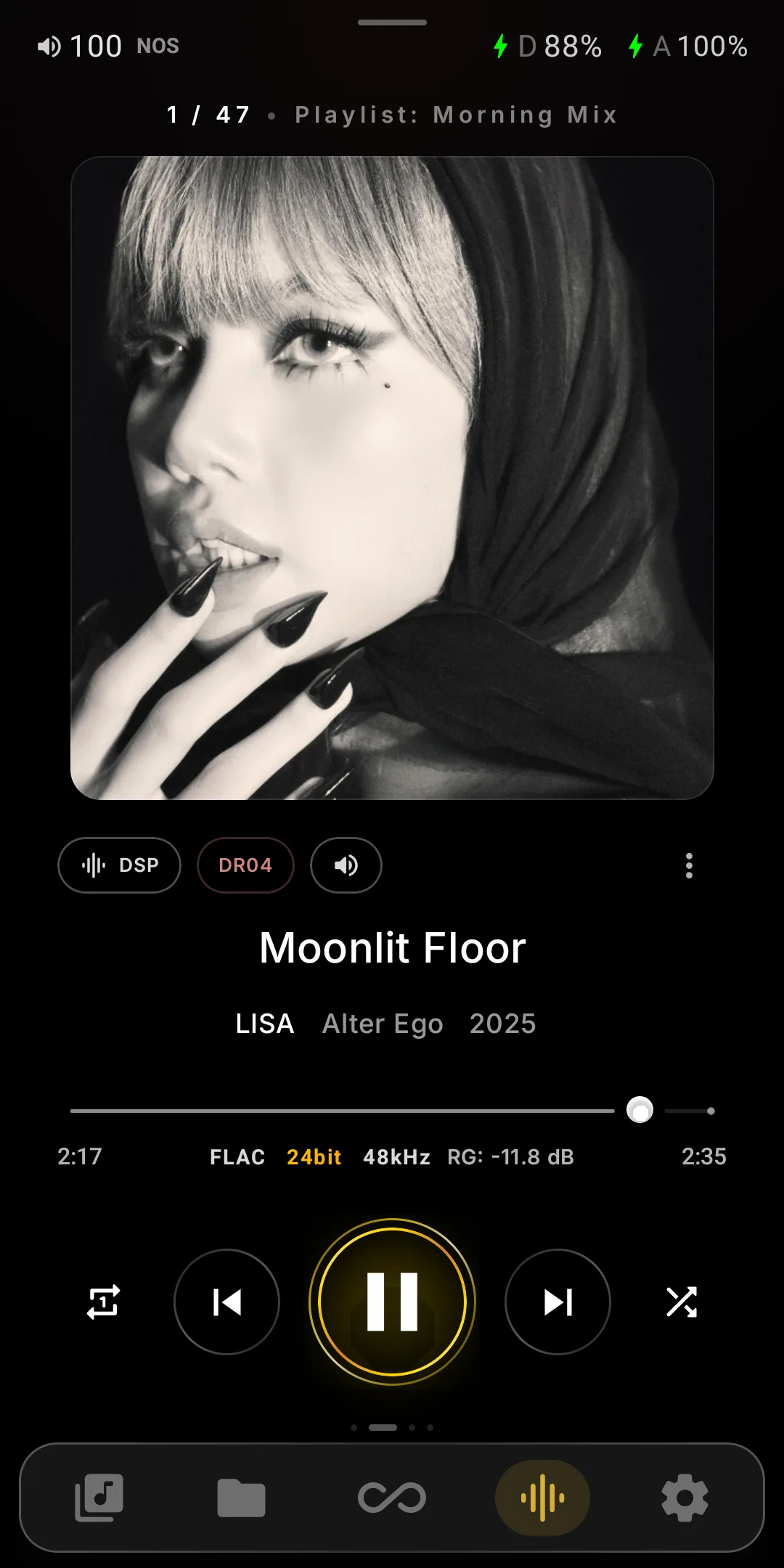
- Redesigned Now PlayingAlbum art on an ambient glow, DSP and DR chips in one row, format and ReplayGain below the seek bar, dual battery up top, persistent bottom bar. See it →
- Playback StabilityAudio work now runs off the main thread, removing a class of UI crashes during playback. After a restart the player resumes at the exact position it stopped at.
- FixesUSB-DAC charging fixed, DeepSleep no longer causes a very slow reboot, and Now Playing lays out correctly at large font sizes.
What's New in V10
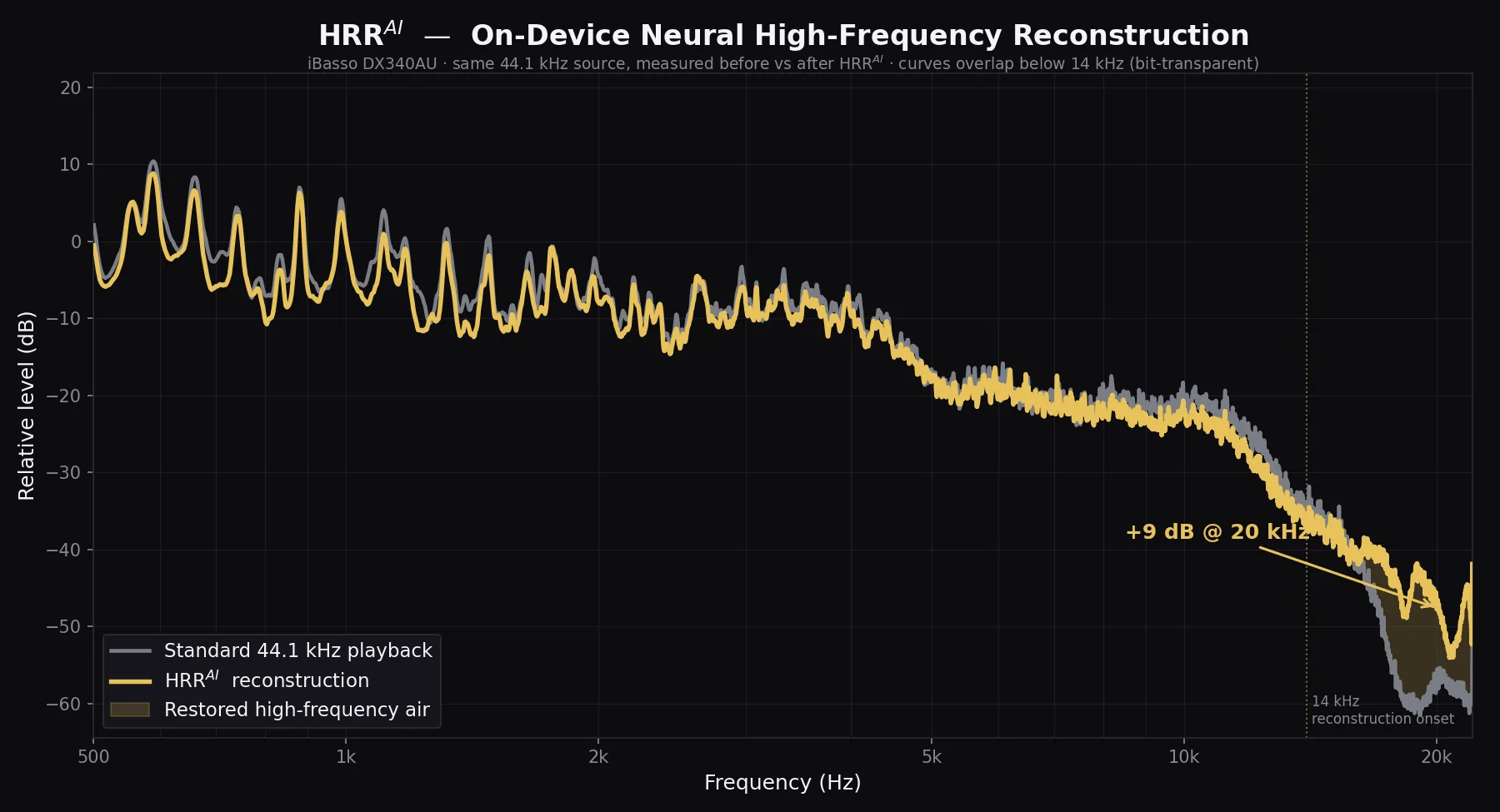
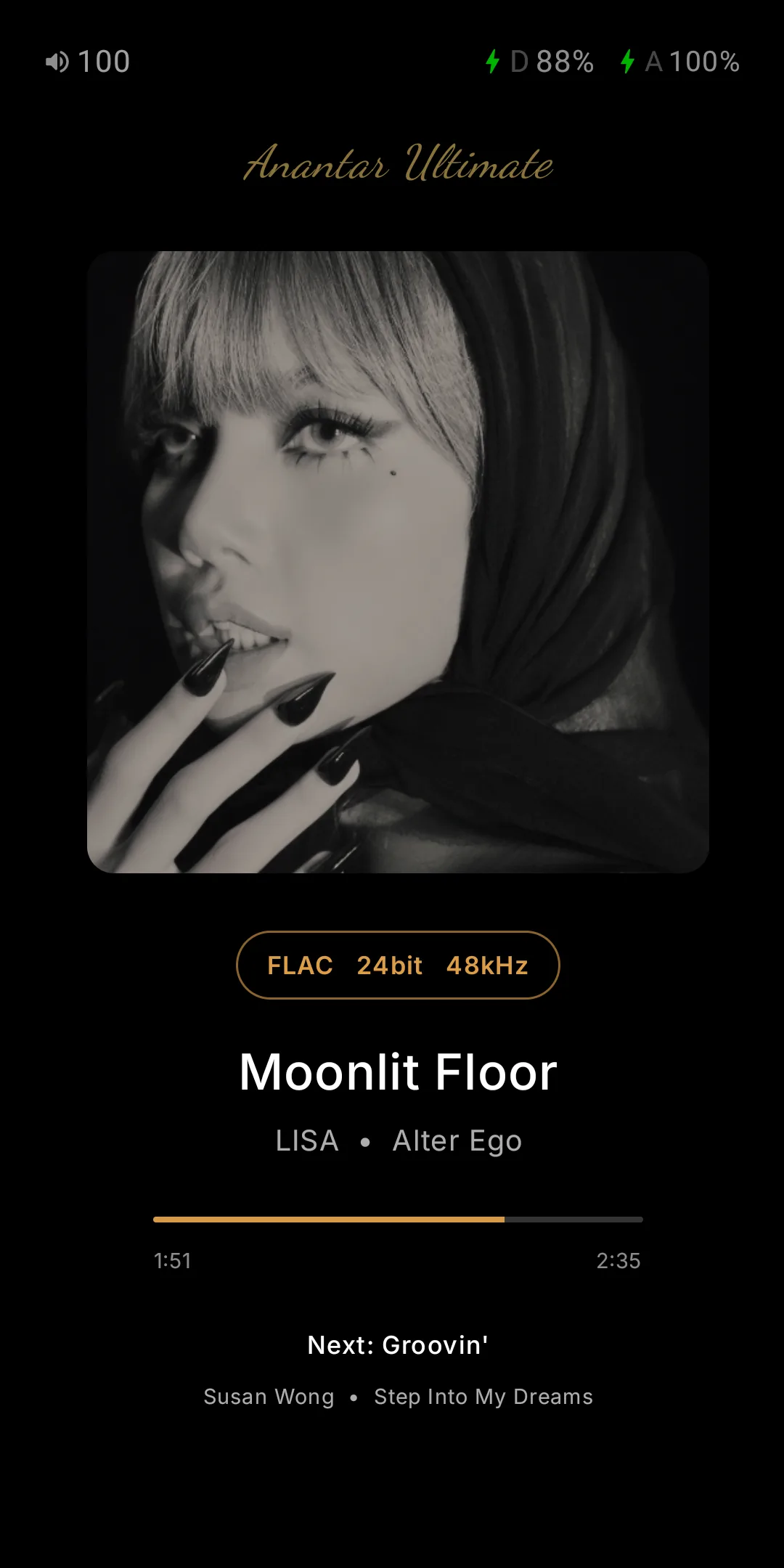
HRRAI rebuilds, on-device, the air above 14 kHz lost in CD-quality masters. Adds Infinity FPGA, Always On Display, DX320MAX and DX180 support.
All changes (10)
- HRRAI — Neural ReconstructionOn-device AI rebuilds the air above 14 kHz — spectral synthesis only, no upsampling. Measured +8 dB at 18 kHz, up to +12 dB at 20 kHz on the DX340AU.
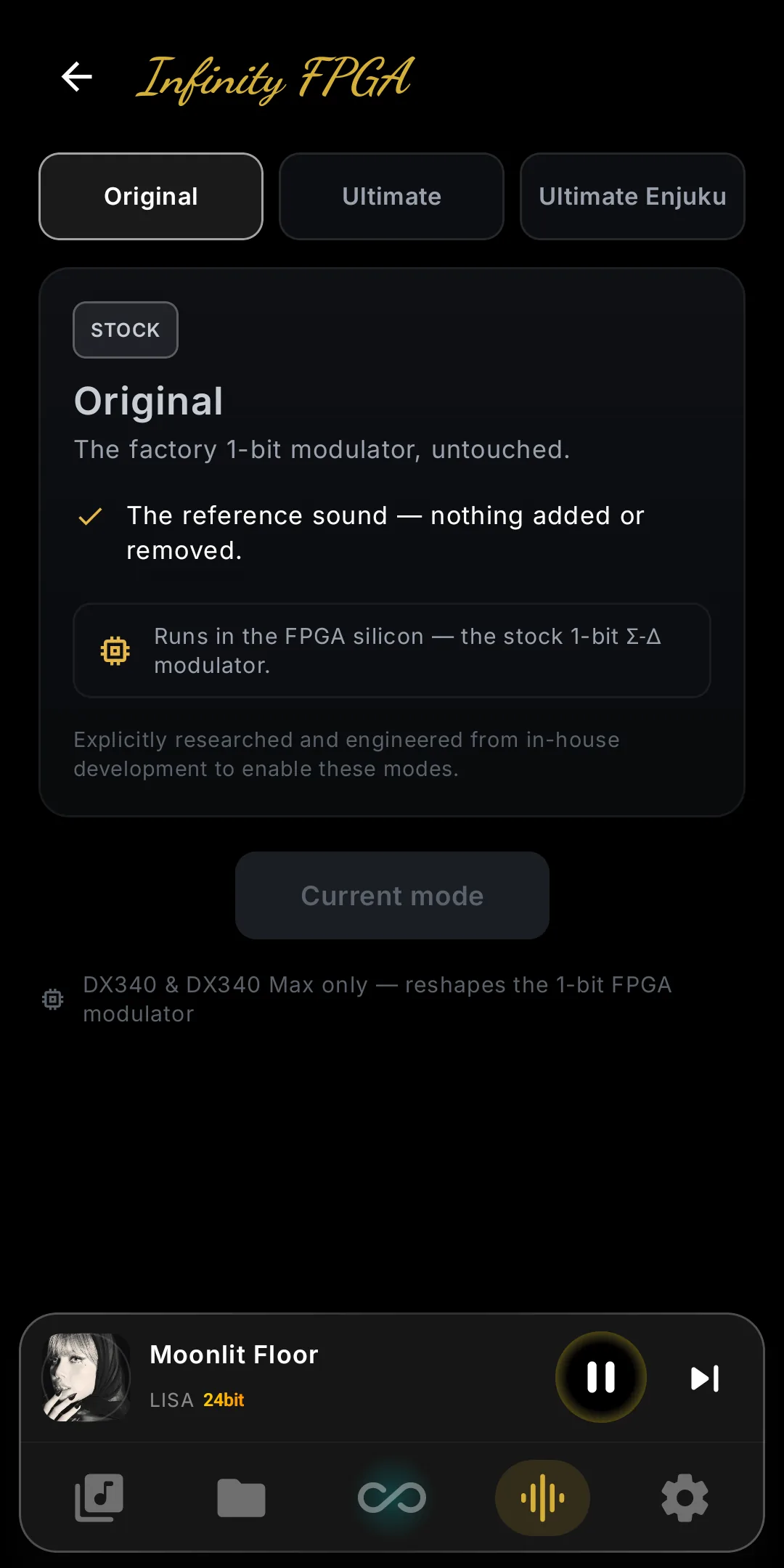
- Infinity FPGASwitch the DAC's noise-shaper between Original and Ultimate on the new FPGA screen. Splices the bitstream live and restores stock on the way back. DX340 and DX340Max only. Details →
- Always On DisplayA dock-mode screen showing current track, next track and battery at low brightness. Auto-on while charging, adjustable idle timeout, tap or hold to exit. DX340 and DX340Max only.
- iBasso DX320MAX SupportFull library, Qobuz, Tidal, Infinity Stage, kernel boot profiles and Infinity Pure. Its DAC board has no DSP path: no Infinity DSP, DSD Remaster or Analog Coloration. Full matrix →
- iBasso DX180 SupportFull library, Qobuz, Tidal, Infinity Stage, kernel boot profiles and Infinity Pure. Its DAC board has no DSP path: no Infinity DSP, DSD Remaster or Analog Coloration. Full matrix →
- DR14 Dynamic RangeOffline crest-factor analysis matching foobar2000's DR meter, for every format, DSD included. Sort, filter and see DR in lists and Now Playing; AI Mix builds a High Dynamic Range playlist.
- Last.fm & Display GesturesLast.fm scrobbling with two-way love sync and taste-weighted discovery, plus double-tap-to-wake and two-finger-sleep for screen on and off without the power button.
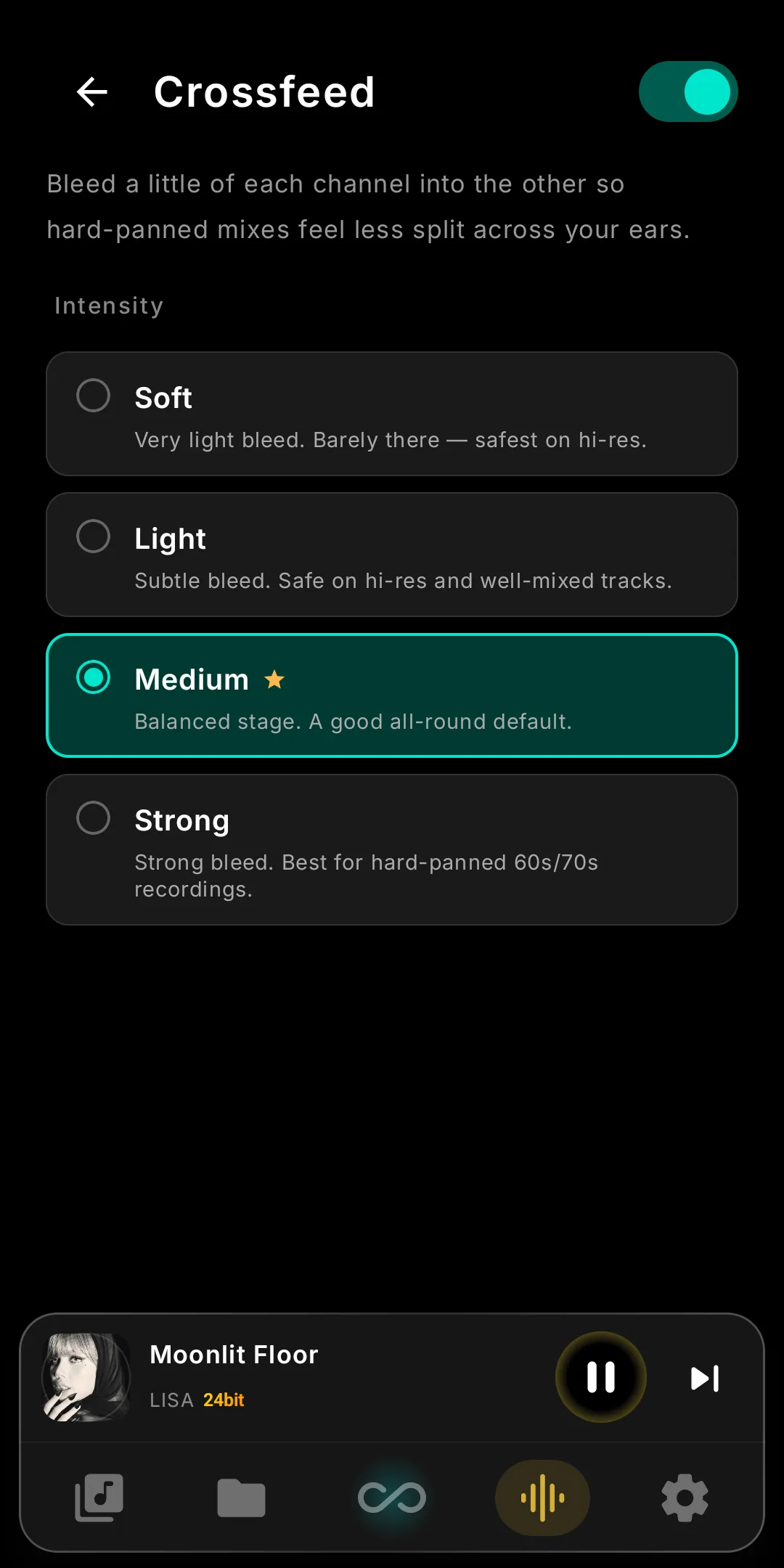
- Crossfeedbs2b-style crossfeed: each channel bleeds a delayed, low-passed copy into the other, easing hard-panned stereo toward a speaker-like stage. Soft, Light, Medium or Strong, in Infinity Pure mode. Details →
- Digital Volume on DX320MAXDigital volume control for the DX320MAX, alongside its analog volume — switch between the two from the player. DX340Max and DX320MAX.
- DSD Remaster Noise FixFixed audible noise in the DSD Remaster path. PCM → DSD512 conversion is now clean across all supported engines.
What's New in V9.6
In-App Update, a redesigned Home and Folder view, Wi-Fi Transfer, Display settings, synced Lyrics and the iBasso Original Harmonic profile.
All changes (8)
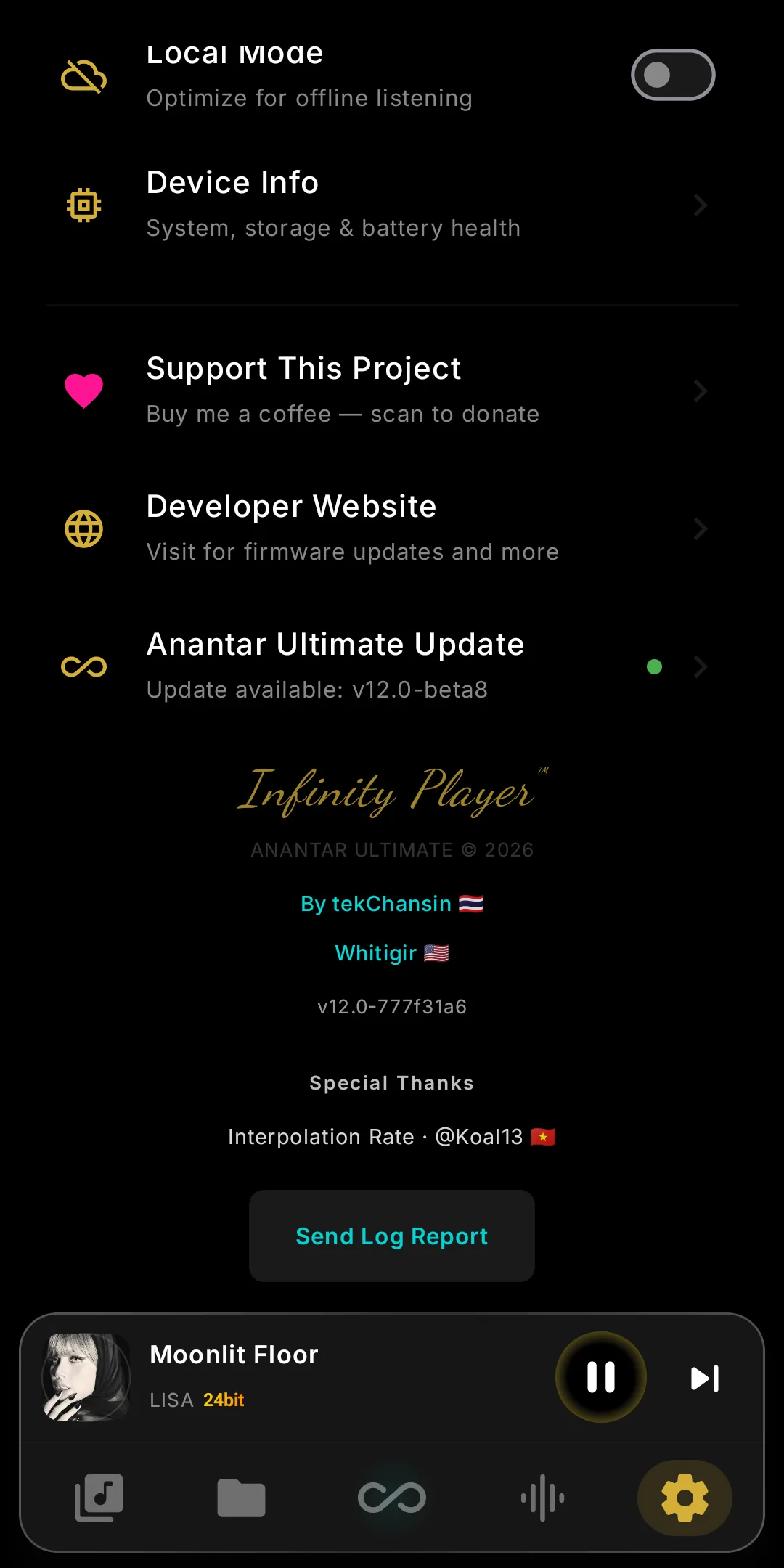
- In-App UpdateUpdate the player from inside the app — check for and install new versions directly, no cable or reinstall needed.
- Redesigned HomeA rebuilt Home screen — cleaner layout, faster access to recent and favorite music, and a more refined Infinity look throughout.
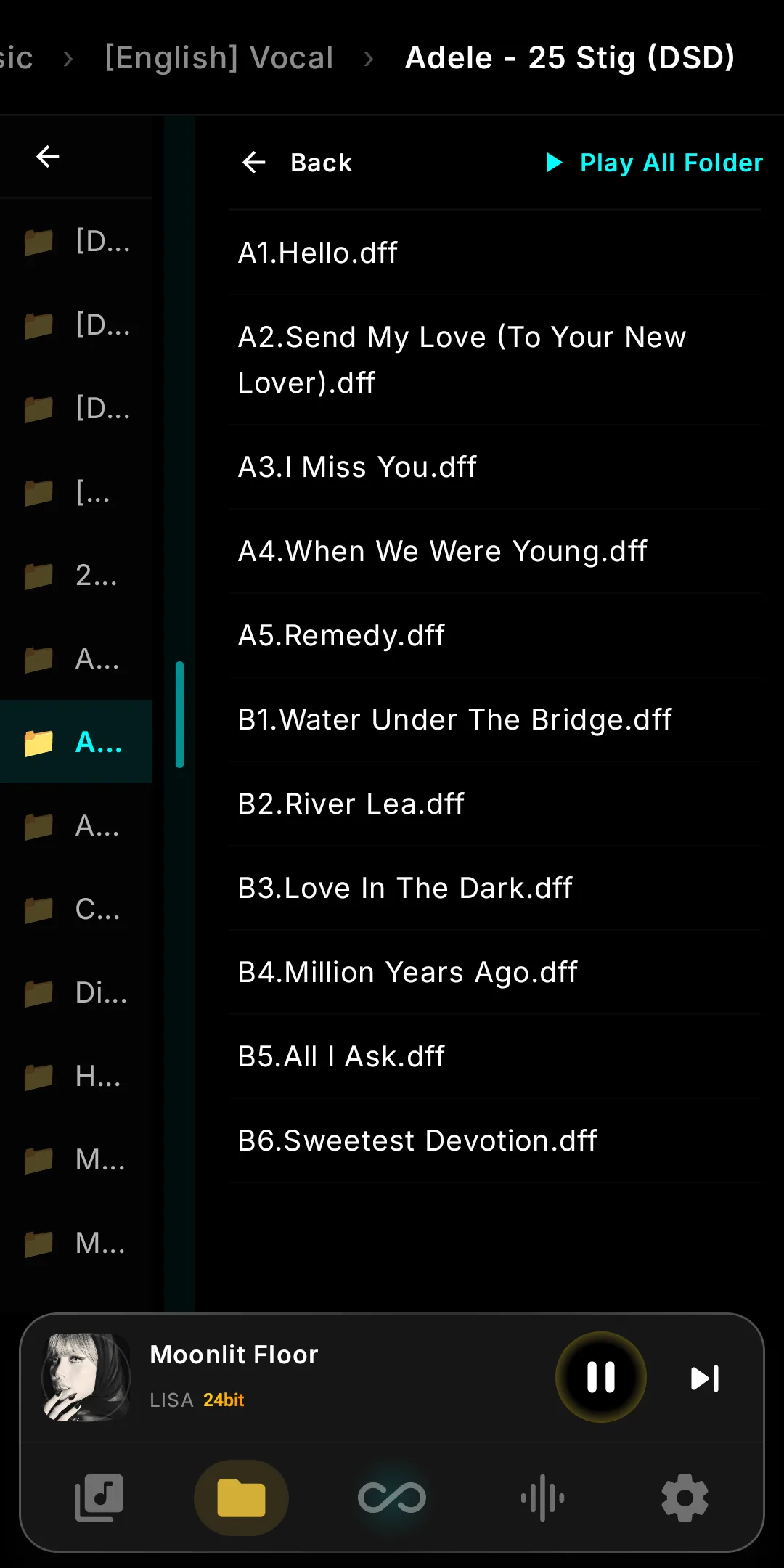
- Redesigned Folder ViewThe Folder browser is reworked for clearer hierarchy and quicker navigation through large libraries.
- Wi-Fi TransferSend music to your device over the network — no cable required. Transfer files straight from your computer or phone to the player over Wi-Fi.
- Display Settings ToolA new tool to fine-tune the screen — adjust display behavior to match your environment and viewing preference.
- iBasso Original HarmonicAdds the iBasso Original Harmonic profile alongside the existing Custom Harmonic options, for the authentic iBasso house sound.
- LyricsSynced lyrics while you listen — load a local offline lyric file or fetch them online automatically.
- OverSampling & Interpolation DX340MaxNOS / OS and Interpolation Rate control now extend to the DX340Max — bringing the full DX340-family DAC tuning to iBasso's flagship.
What's New in V9
The biggest Infinity Player release yet — an on-device DSD Remaster engine, the new Infinity Pure mode, analog-style coloration, Radio Paradise, and a redesigned Now Playing.
All changes (6)
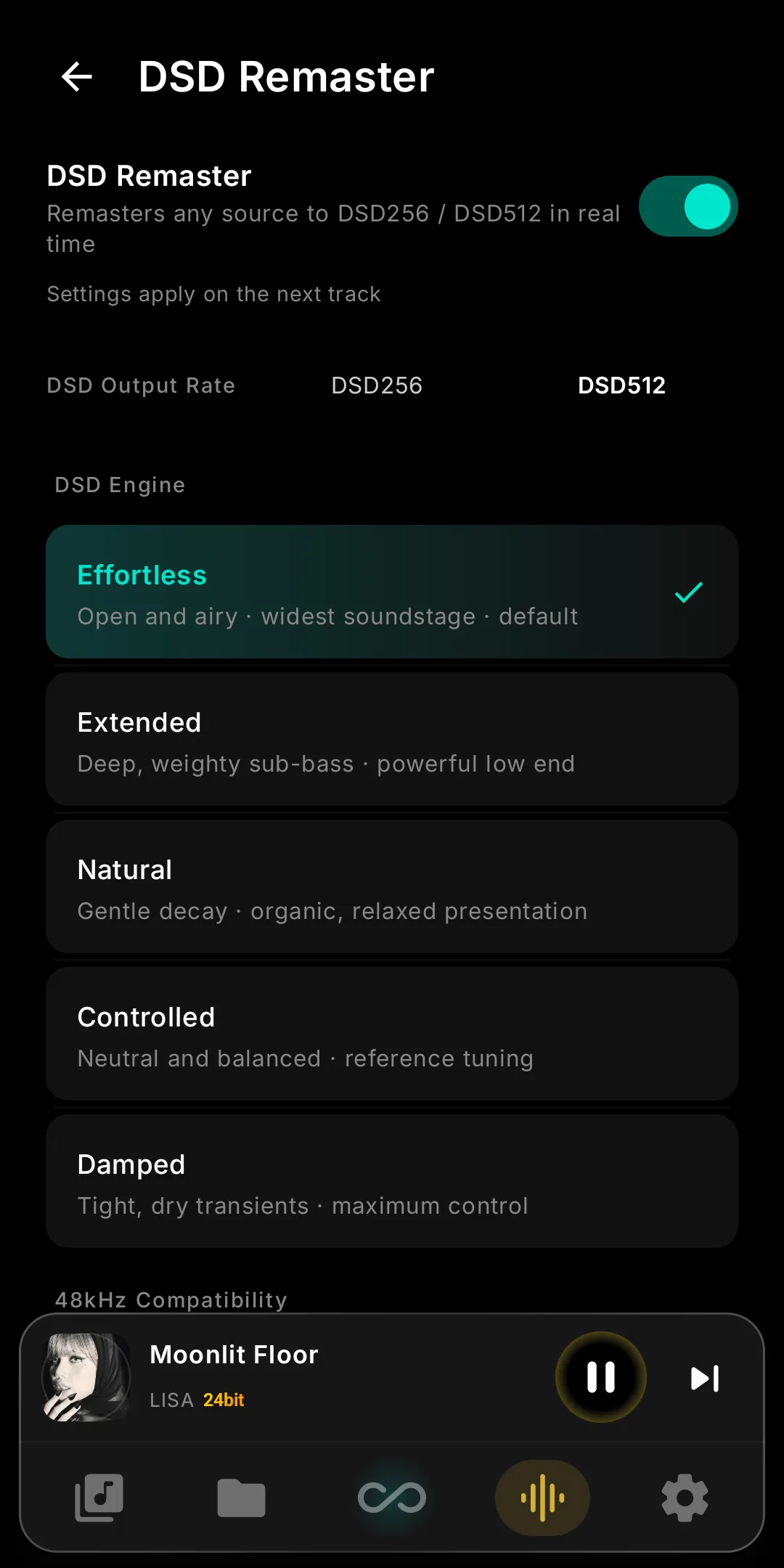
- DSD Remaster EngineRemaster PCM to DSD512 on-device — five DSD Engine modes to tune the character. Supported on DX340, DX340Max, and DX270.
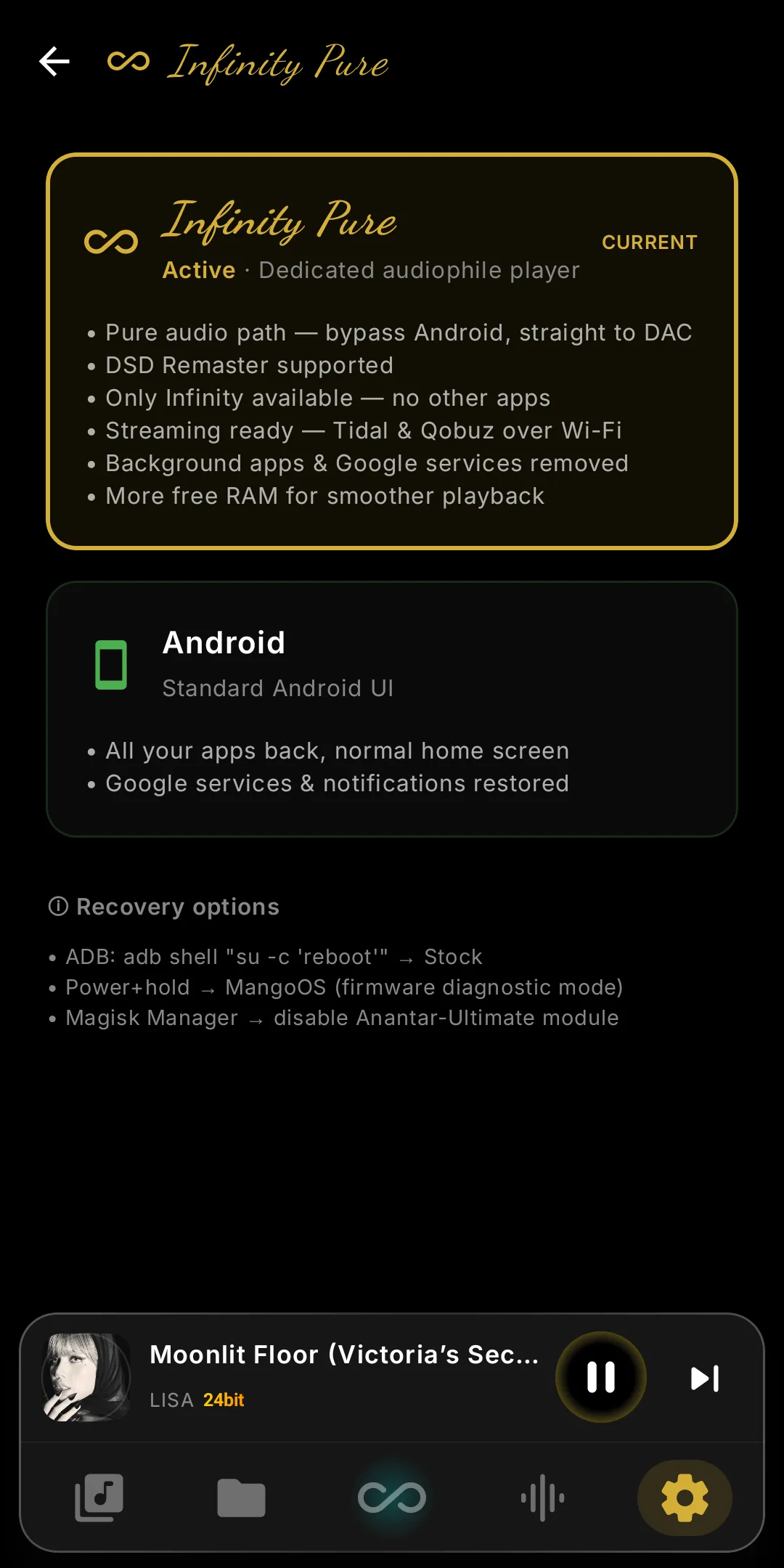
- Infinity PureInfinity Pure and native EXT4 unified into one Infinity Pure mode, with a kiosk-style OS experience that keeps the system lock screen.
- Analog ColorationVinyl, Tube, and Chassis Lover coloration profiles — promoted out of experimental.
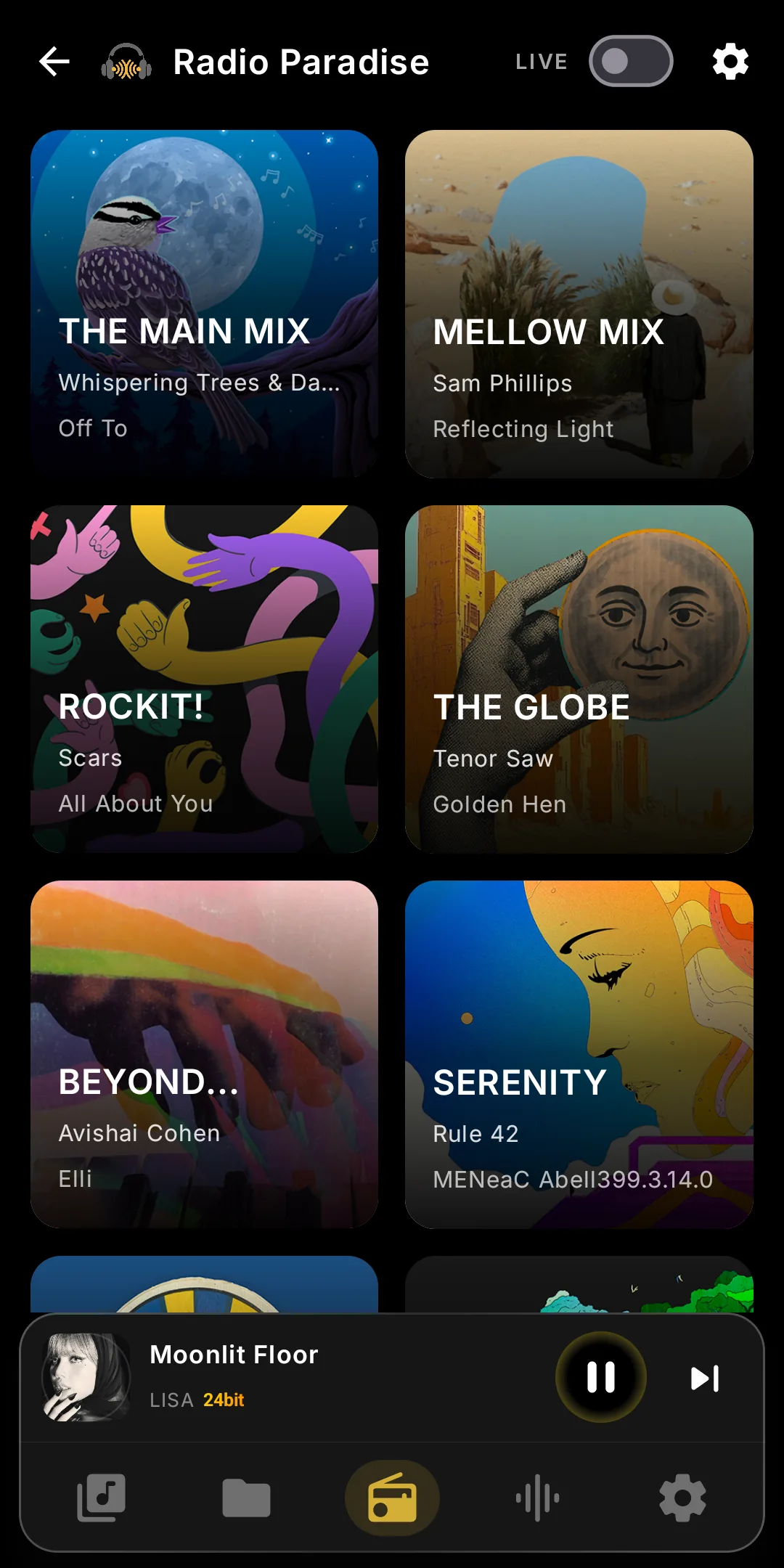
- Radio ParadiseBuilt-in Radio Paradise with Block and Live modes, a dynamic multi-channel list, and offline caching of track metadata and artwork.
- Bluetooth & USB DACA new Bluetooth DAC mode with in-app pairing, plus USB DAC Mode A / Mode B. Paired with a redesigned Now Playing, VU Meter, and Tuning Wizard.
- DX340Max SupportFull support for the iBasso DX340Max — feature-identical to the DX340, including DSD Remaster, Analog Coloration, and the complete Infinity DSP suite.
What's New in V8
The biggest leap since launch — native Qobuz hi-res streaming joins Tidal, and NOS / OS DAC modes give you direct control over the interpolation filter. And for the first time, DX270 is fully supported alongside DX340 & DX340Max.
All changes (4)
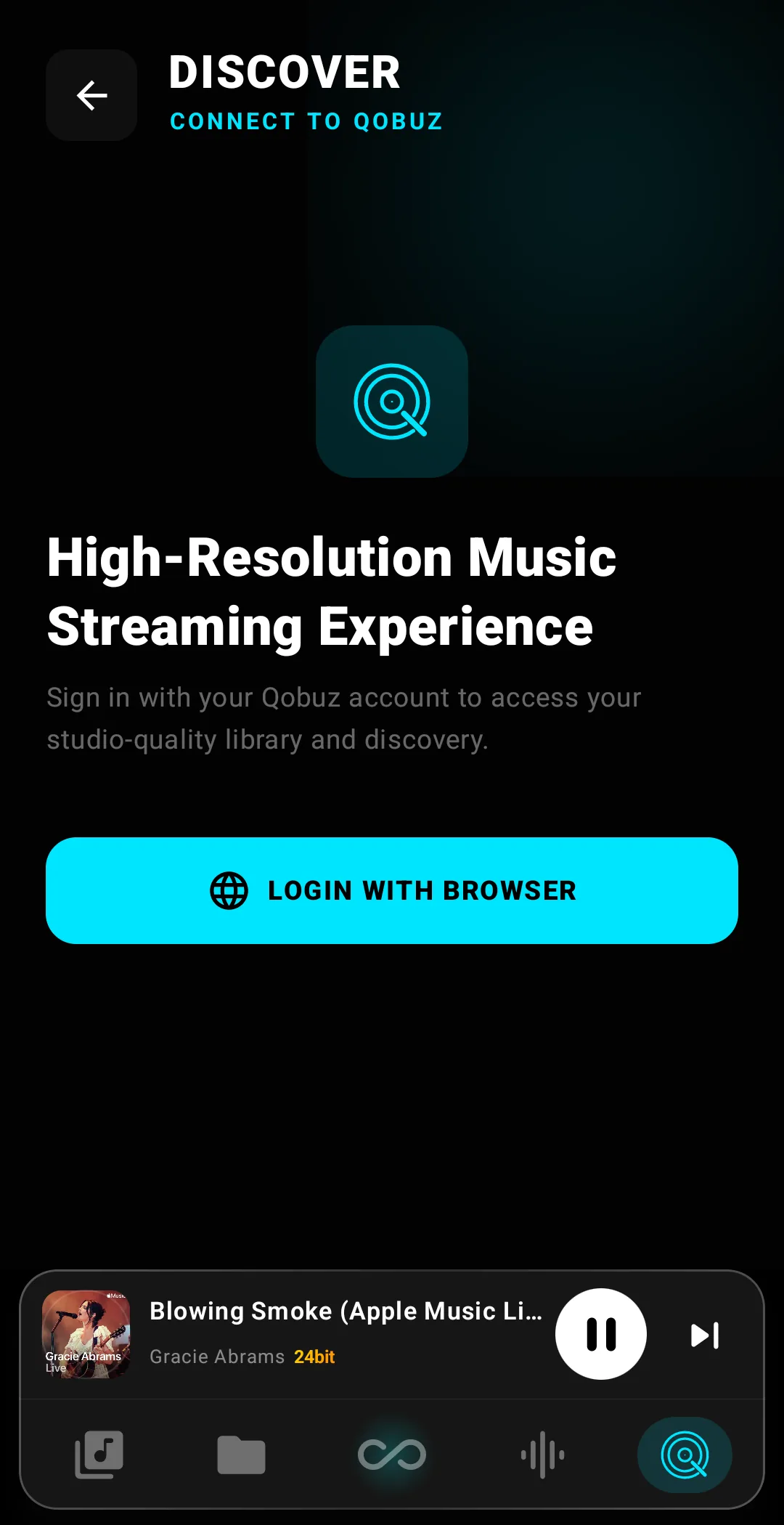
- Native Qobuz IntegrationStudio-quality FLAC up to 24-bit / 192 kHz, streamed bit-perfect through the iBasso Native Driver alongside Tidal. No transcoding, no Android resampling — the file Qobuz serves is exactly the file your DAC plays.
- NOS / OS DAC ModesSwitch the DAC's interpolation filter in real time. NOS (Non-Oversampling) for the raw, direct character. OS (Oversampling) for the smooth, reference sound. Both are bit-perfect to the file — the choice is preference, not fidelity.
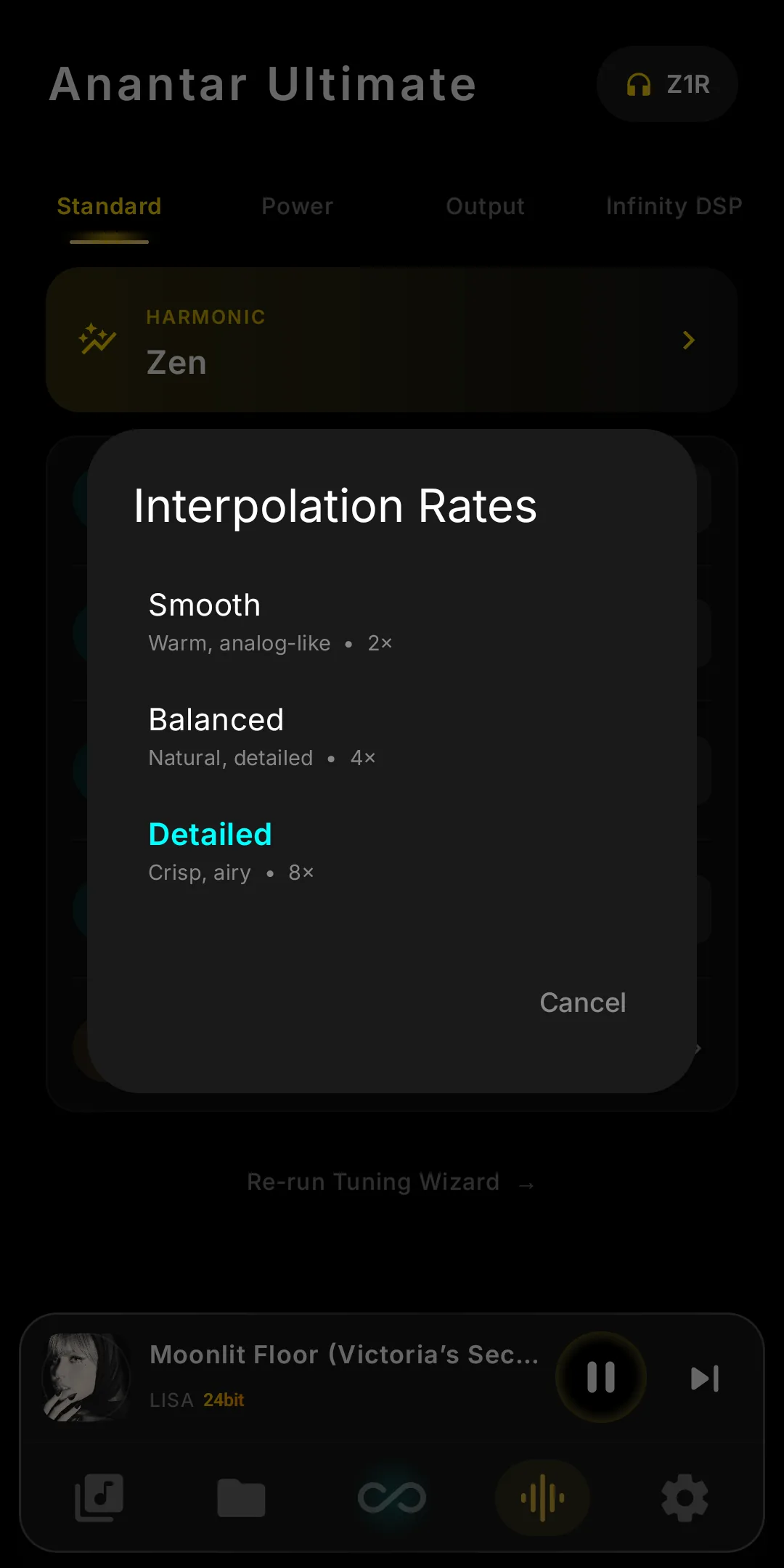
- Interpolation RateThree voicings on the CT7302 — Smooth (2×, warm and analog-leaning), Balanced (4×, natural and detailed), and Detailed (8×, crisp and airy, the iBasso default). All bit-perfect to the file. DX340 & DX340Max only.
- DX270 Support First with DX270Anantar Ultimate reaches the iBasso DX270: EXT4 support, kernel boot profiles and the full Infinity Player. One module, three players.
What's New in V7
The most ambitious update yet — a brand-new Infinity Player, Salon Stage, faster system-wide performance, and more.
All changes (3)
- Infinity StageA new fifth soundstage profile between Theatre and Chamber — refined, intimate, yet open. Perfect for vocal and acoustic recordings.
- Faster App LoadingAll apps launch noticeably faster system-wide via pre-compiled package optimization applied automatically during installation.
- Infinity PlayerA cutting-edge companion music player designed exclusively to interface seamlessly with Anantar Ultimate for bit-perfect playback.
Introducing: Infinity Stage
Infinity Stage reworks how the system handles heap memory to unlock a much larger soundstage. Four profiles:
All changes (4)
- StudioClinical precision. Tight, punchy bass and zero reverb. It's very "honest" and precise—perfect for hearing every micro-detail without any coloring.
- ChamberPersonal Favorite. Enhanced stereo width and airy separation that feels like a natural, open room. Wider stage but remains completely realistic.
- TheatreGrand-scale immersion. Rich ambient reverb for a vast, cinematic experience. Works incredibly well with orchestral or live tracks.
- OriginalFor the purists. Keeps the authentic V4 sound signature you know and love, maintaining a natural balance of space and detail.
🧠 Under the Hood: Improved CPU Pinning
Deep system scheduling refinement to optimize hardware interaction.
- Reduced Context Switching: App runs steadily on specific cores, preventing the CPU from jumping between tasks.
- Clearer & Cleaner Sound: Noticeably more stable audio delivery with a "black background" improvement.
- Effortless Listening: The whole experience feels more robust and technically refined.
What's New in V4
The most comprehensive release yet — precision playback, battery intelligence, and a brand-new notification system.
Precision Playback Engine
- Direct Data Path (I/O Optimization): Streamlines data flow from storage to CPU cache — removes unnecessary processing layers, significantly reducing latency and CPU overhead.
- Reduce Jitter: Linear scheduling approach prevents micro-stutters, ensuring a perfectly stable data stream for high-bitrate playback.
- I/O Interrupt Affinity Tuning: Pinpoints interrupt requests between storage controller and audio engine to specific CPU cores — reduces latency spikes during demanding playback.
- LocalPlay Engine Optimization: Fine-tuned CPU scaling governor for local playback, balancing power delivery with signal stability.
- Automated Background Terminator: New intelligent service identifies and suspends non-essential tasks during playback, freeing system resources.
DeepSleep V2 Enhancements
- DeepSleep Stats: Cumulative sleep duration and real-time battery discharge rate notifications.
- Big Core Management: Automatically deactivates BIG cores when DeepSleep is triggered.
- Instant Recovery (CPU Boost): 60-second MAX CPU Boost triggers immediately on restore from DeepSleep.
- Native Doze Integration: Deep-level integration with Android's Doze, instructing the low-level OS into more effective deep sleep states.
- Battery Longevity & Guard: Stricter Play Store background restrictions to prevent idle battery drain.
Enhanced UX/UI (Notification System)
- Native Integration: Fully migrated from Magisk-based app overlays to Android Native Notification framework for improved stability.
- Refined Messaging: All notifications rewritten with clearer, more intuitive language.
- Bubble Notifications: Multitasking-friendly bubbles for quick access to essential controls.
- Initial Anantar App Release: Official portal to the Anantar Ultimate site — a unified hub for community updates.
🐛 Bug Fixes & Compatibility
- Software Validation: Extensively tested with UAPP, Neutron Music Player, and Nova Launcher.
- Note on Neutron CPU DSP: PCM-to-DSD real-time conversion in Neutron is supported but increases CPU load and thermal output significantly.
- MicroSD EXT4 Fix: Fixed a critical bug in the microSD cleanup process for ext4 partitions.
- iBasso Firmware Updater Fix: Resolved an issue where the updater failed to launch in the optimized environment.