Guide · Listening Profiles
One tap per headphone.
A Listening Profile snapshots your whole setup. Save one per headphone, restore everything in one tap, and A/B against stock without losing your tuning.
Everything, not just EQ
What a profile holds
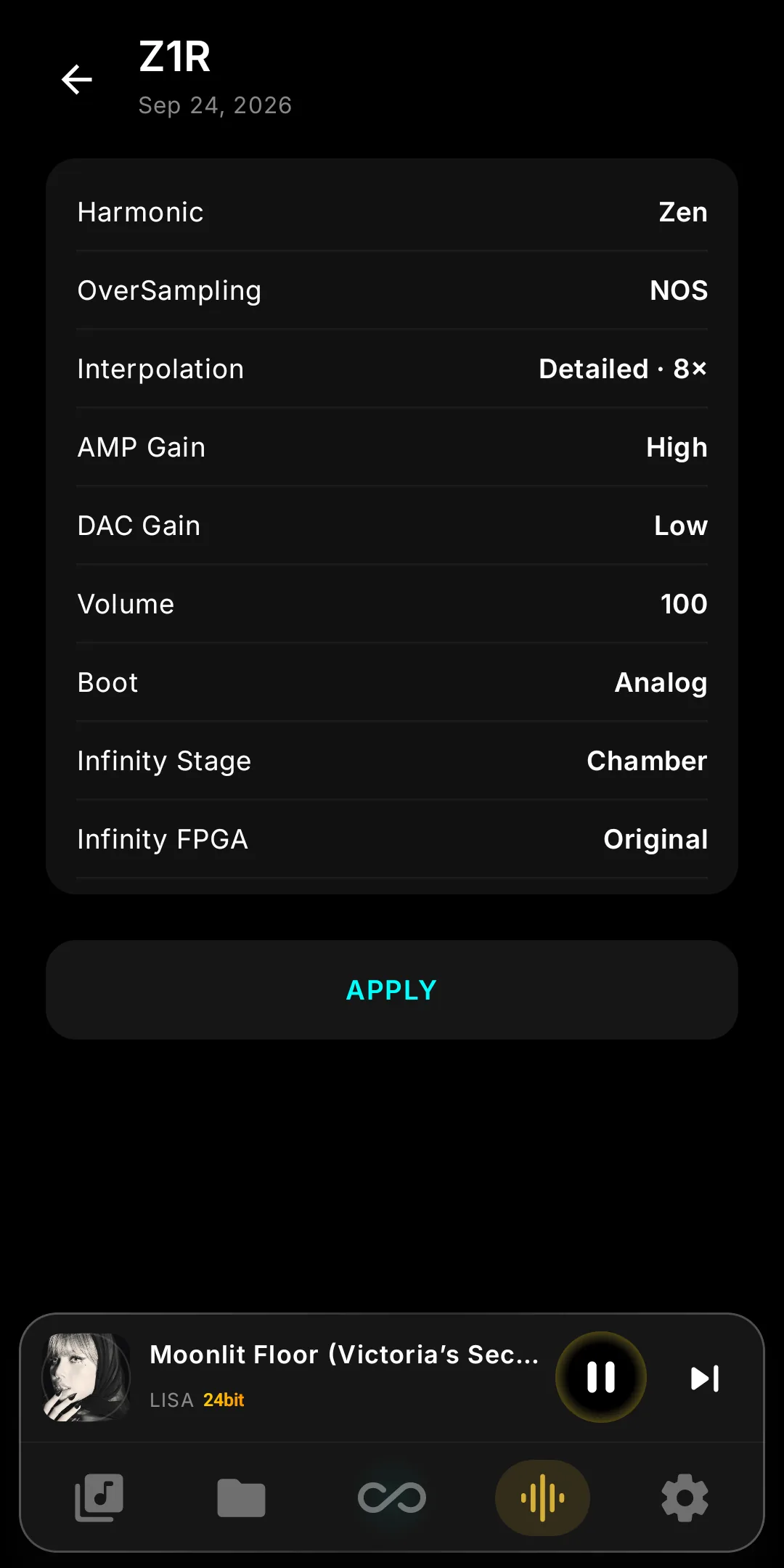
Every setting that shapes the sound for a headphone, including the ones that live in Anantar Ultimate rather than in the player:
- FPGAHarmonic profile
- DACNOS / OS, digital & DSD filters, interpolation
- AmpAmp gain, DAC gain, output (AB / Super A ↔ Tube on tube cards)
- EQEqualizer and Parametric EQ, preamp included
- Infinity DSPTube / Vinyl / Chassis, Crossfeed, Invert Phase, DSD Remaster or HRRAI
- SystemBoot profile, Infinity Stage, volume
Thirty seconds
Create a profile
- Dial in the sound for the headphone you are wearing — Harmonic, EQ, engines, gain, all of it.
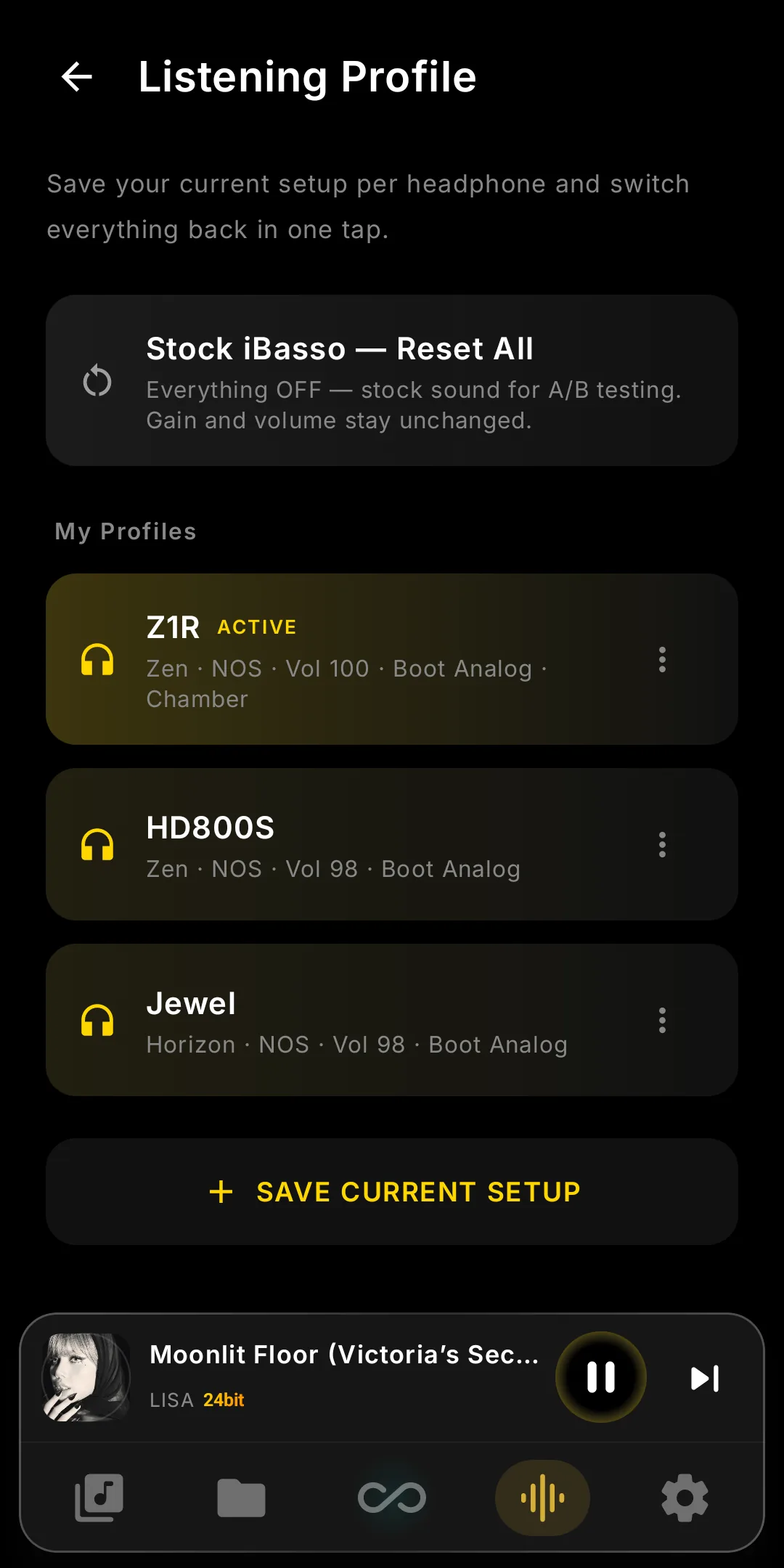
- Settings → Listening Profile → Save current setup.
- Name it after the headphone (e.g. HD800S) and save. It appears under My Profiles with an ACTIVE badge.
- Repeat for the next headphone. There is no limit.
Day to day
Switch, update, rename
- Switch: open Listening Profile, tap the profile, Apply. The dialog says how many settings will change and warns if the volume goes up.
- Apply & Reboot: if the profile changes the Boot profile or Infinity Stage, the button says so — one reboot and everything is in place. Most switches need none.
- MODIFIED badge: you changed something after applying. Update from current saves the tweak into the profile; applying it again throws the tweak away.
- Rename / Delete from the profile's menu. Deleting a profile never changes the current sound.
Amp cards. A profile applies as far as the fitted card allows: Tube settings are skipped on cards without a tube stage, everything else applies.
Honest A/B
Compare with stock iBasso
The built-in “Stock iBasso — Reset All” profile turns every Anantar and Infinity setting off, leaving gain and volume alone, so you hear exactly what the mod adds.
- Save your current setup first. If you have not, the app asks: Save first or Reset without saving. Choose Save first.
- Apply Stock iBasso, listen, then apply your own profile again. One tap each way.
What Listening Profiles are → · Design a Harmonic profile → · Browse shared profiles →