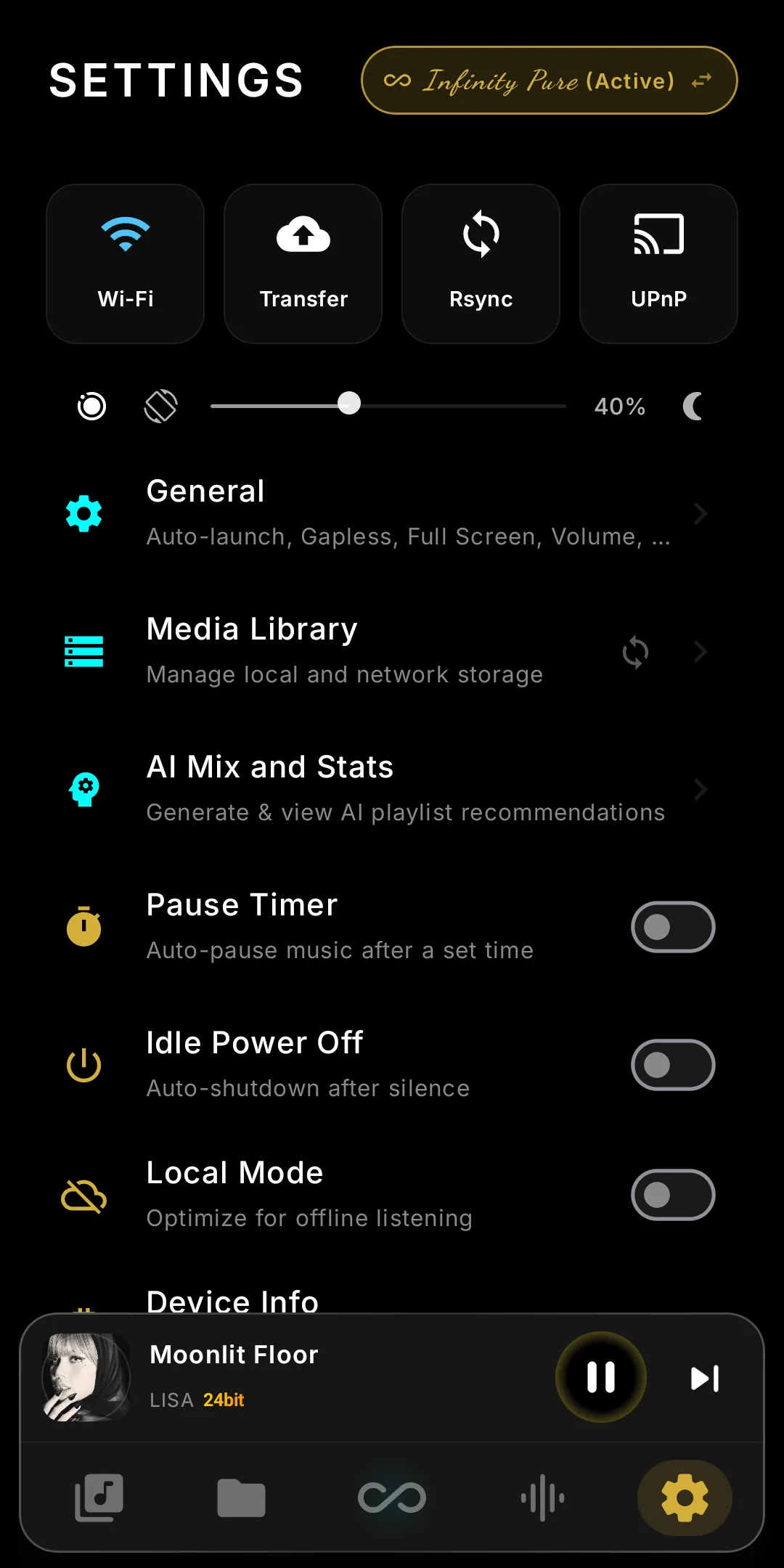
The DAP joins your Wi-Fi.
Play to it from your phone with UPnP/DLNA, tune in to Internet Radio, fill the library with Rsync and WiFi Transfer — or switch it all off with Local Mode.
Your phone becomes the remote
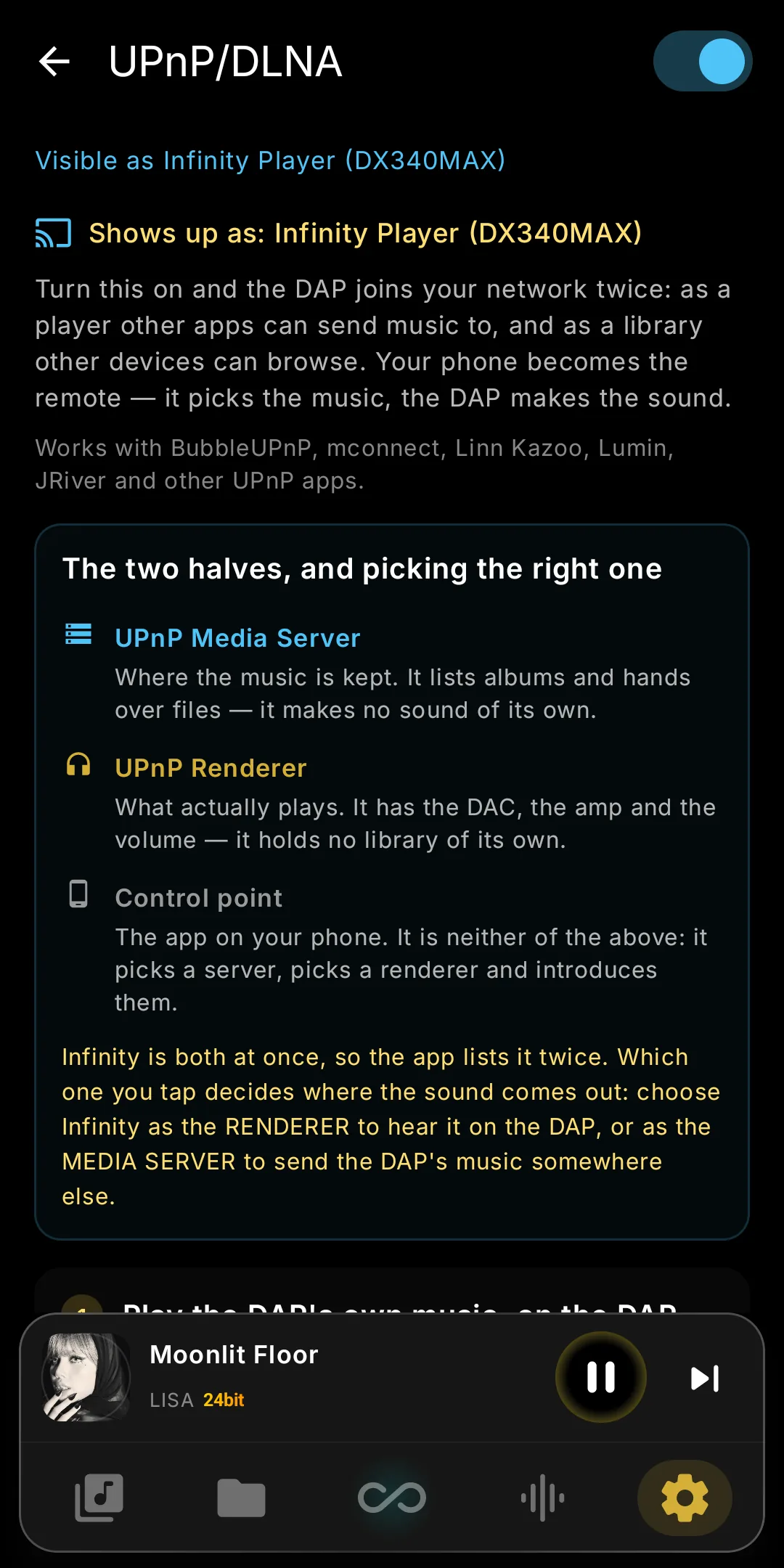
Switch on UPnP/DLNA and the DAP appears in your control-point app. Off by default; while on, deep sleep is paused. Full guide →
Play to the DAP
Pick "Infinity Player" in BubbleUPnP, mconnect, JRiver, Audirvana or foobar2000 and play from phone, NAS or the DAP. All controls and volume work both ways.
Browse the library from your phone
Also a media server: Favourites, Albums, Singles, Artists, Playlists, Compilations, Genre, Year, Language, DR, Hi-Res, Folders. Files play locally, keeping ReplayGain, play counts and hearts.
The queue lives on the DAP
Close the phone app and the music carries on. OpenHome control points (Kazoo, Lumin, BubbleUPnP) see the whole queue and edit it in place.
Radio over UPnP
Stream links, .m3u and .pls play as stations. FLAC, WAV, AIFF, ALAC, APE, WavPack, Ogg, Opus, MP3, AAC, WMA and DSD pass untouched.
Internet Radio
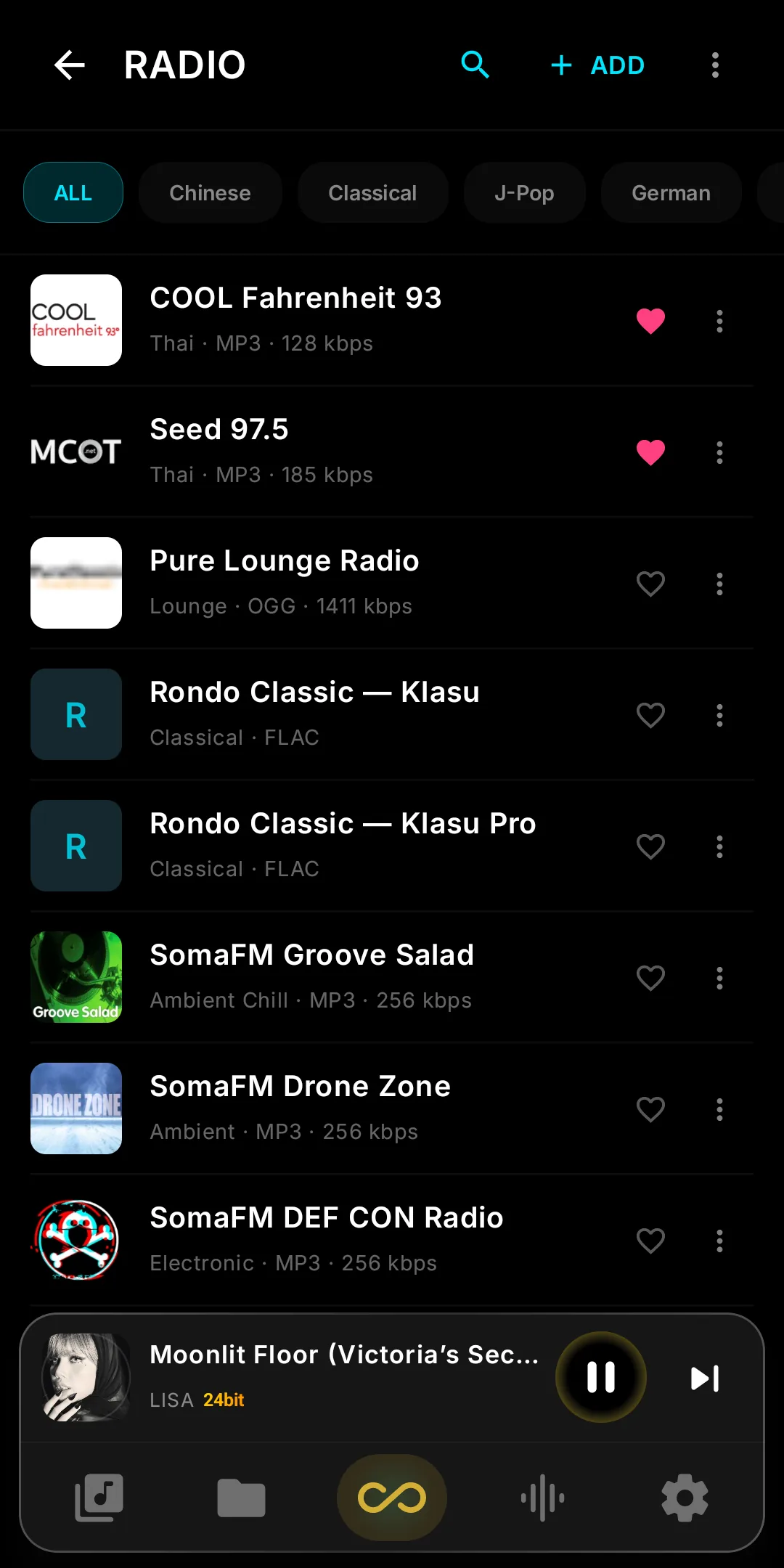
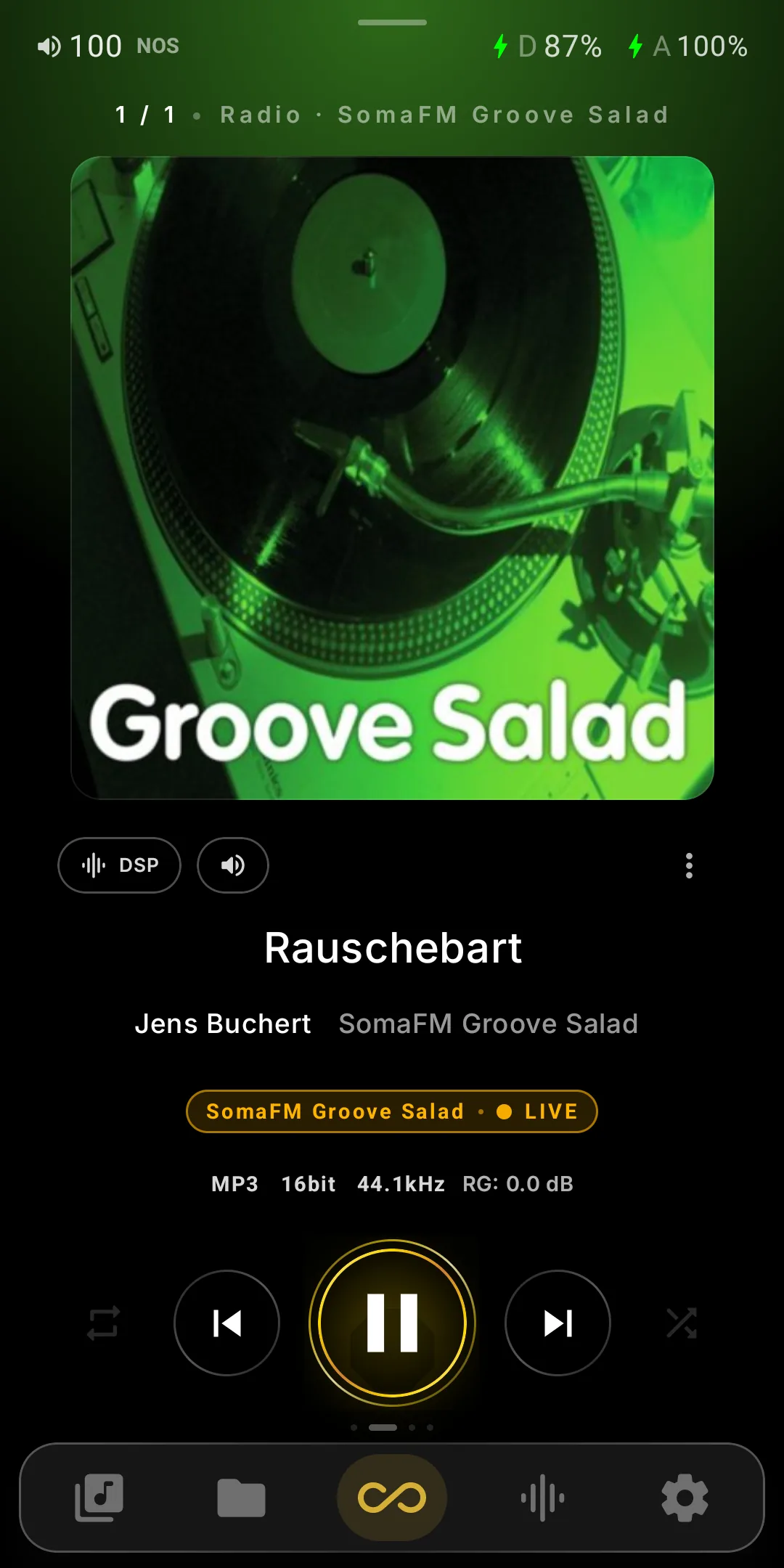
A Radio button next to Radio Paradise, Tidal and Qobuz. Stations play like everything else on the DAP — Infinity DSP, HRR and the amp settings all apply.
87 stations to start
Thailand, China, Taiwan, Hong Kong, Korea, Japan, Vietnam, Europe, SomaFM, NTS and lossless picks, all checked. Delete or restore the list from the ⋮ menu.
Your own stations
Paste a stream link, tap Check, save. FLAC-in-Ogg at 1411 kbps plays natively. Rename, favourite and add covers from SD card, internal storage or URL.
Artist and title while it plays
Now Playing shows what's on, the station's artwork if sent, and a LIVE marker instead of the seek bar. Stalled streams reconnect rather than end.
Import, export, browse
Import and export your list as .m3u, covers included. Browse tens of thousands of stations by name, genre or country, and filter your own list by genre or region.
Rsync, WiFi Transfer and Local Mode
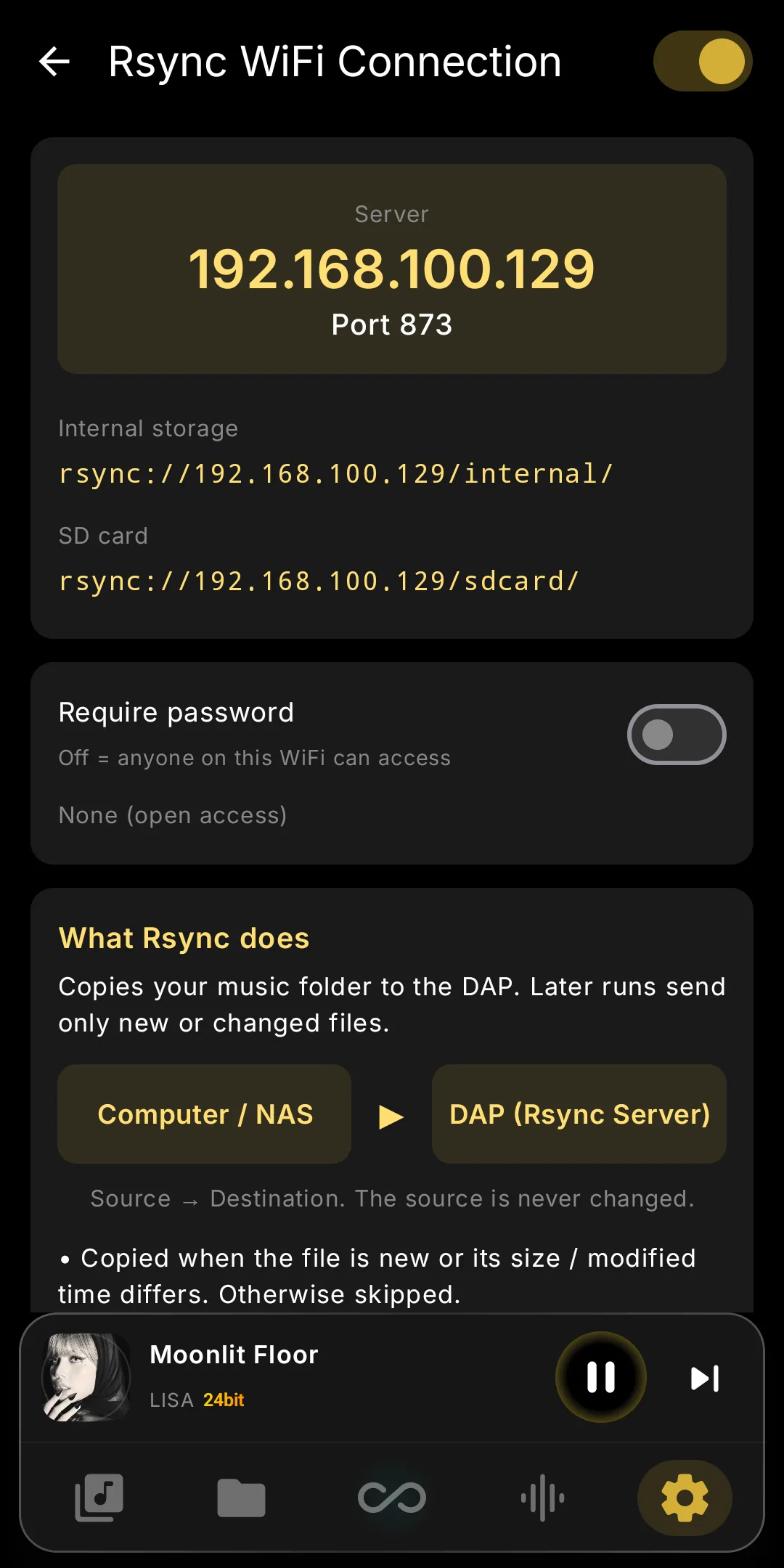
Plug in (UMS), drag and drop in a browser (WiFi Transfer) or sync from a computer or NAS (Rsync); the library updates without a rescan.
Rsync server
Enable it in Settings and point DeltaCopy, cwRsync, RsyncUI, Synology Hyper Backup or rsync at port 873. Only changed files copy; an optional password persists.
WiFi Transfer page
Scan the QR code and drop files in the browser. Internal and SD card free space shows at the top. Playback continues during transfers.
The library syncs itself
Uploads, moves and deletes, rsync's included, appear in seconds; a toast counts changed tracks. Deleting in Folders syncs too. Hearts, DR and ReplayGain stay put.
Local Mode
Wi-Fi and Bluetooth stay off, Wi-Fi daemons stop to free memory, and streaming, UPnP, WiFi Transfer and Rsync pause. Turning Wi-Fi on anywhere restores everything.