Get music onto the DAP over Wi-Fi.
Three ways: WiFi Transfer from a browser, Rsync to keep a computer or NAS folder in sync, or the cable (UMS). The library updates within seconds, no rescan.
WiFi Transfer
Best for a handful of albums from a phone or a laptop. Both devices must be on the same Wi-Fi.
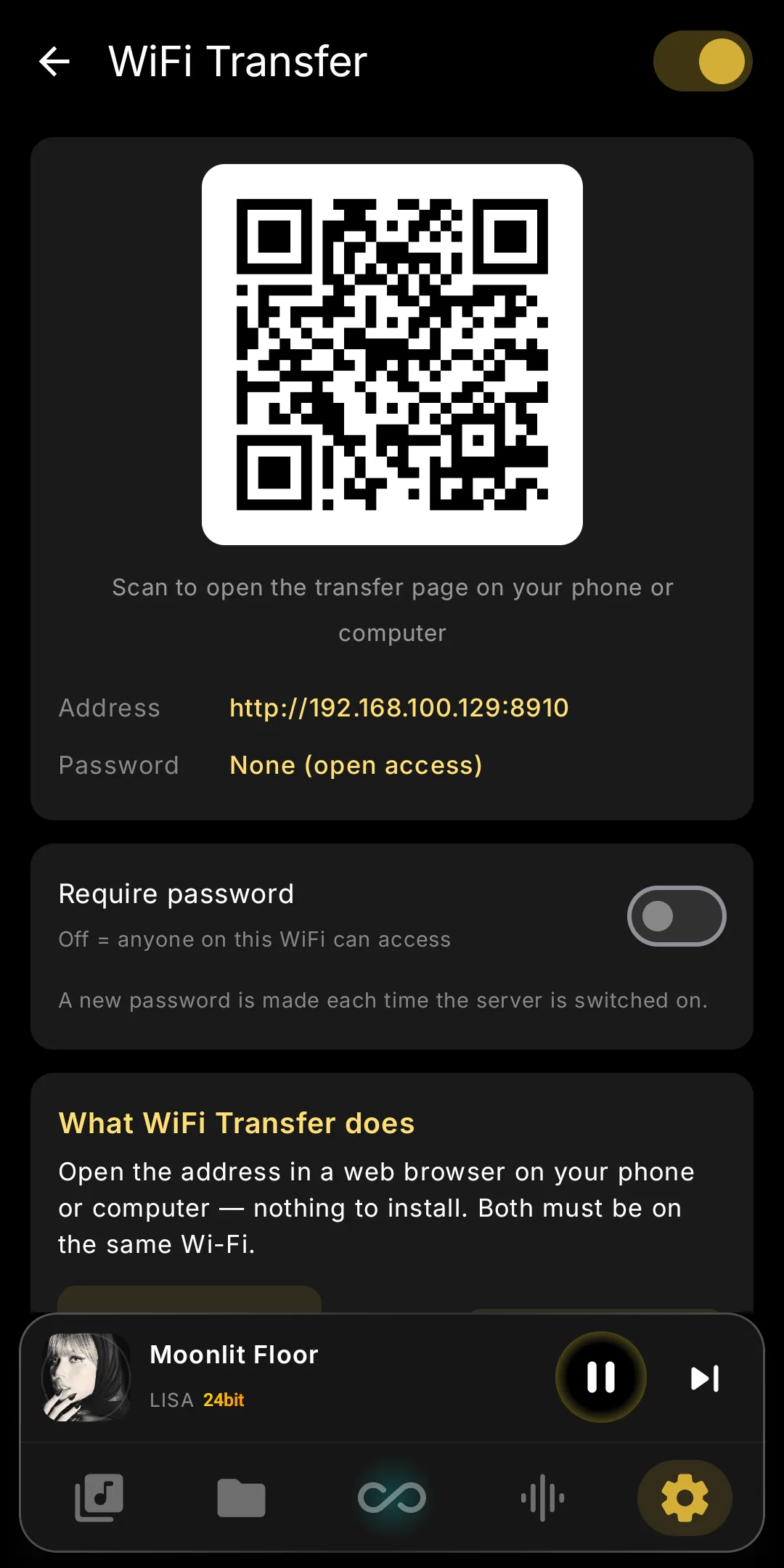
- Open Settings and tap the Transfer tile in the network row (Wi-Fi · Transfer · Rsync · UPnP).
- Switch it on. The screen shows an address and a QR code. On shared Wi-Fi, turn on Require password; a new one is made each time the server starts.
- Scan the code or type the address into a browser on your phone or computer.
- Drag files or whole folders onto the page. Internal storage and the SD card are both there; you can also download, move, rename, delete and make folders.
- Done? Switch it off. It is always off after the app restarts, so nothing stays open by accident.
Rsync
Best for a big collection on a computer or NAS. The first run copies everything; later runs send only new or changed files and resume if interrupted.
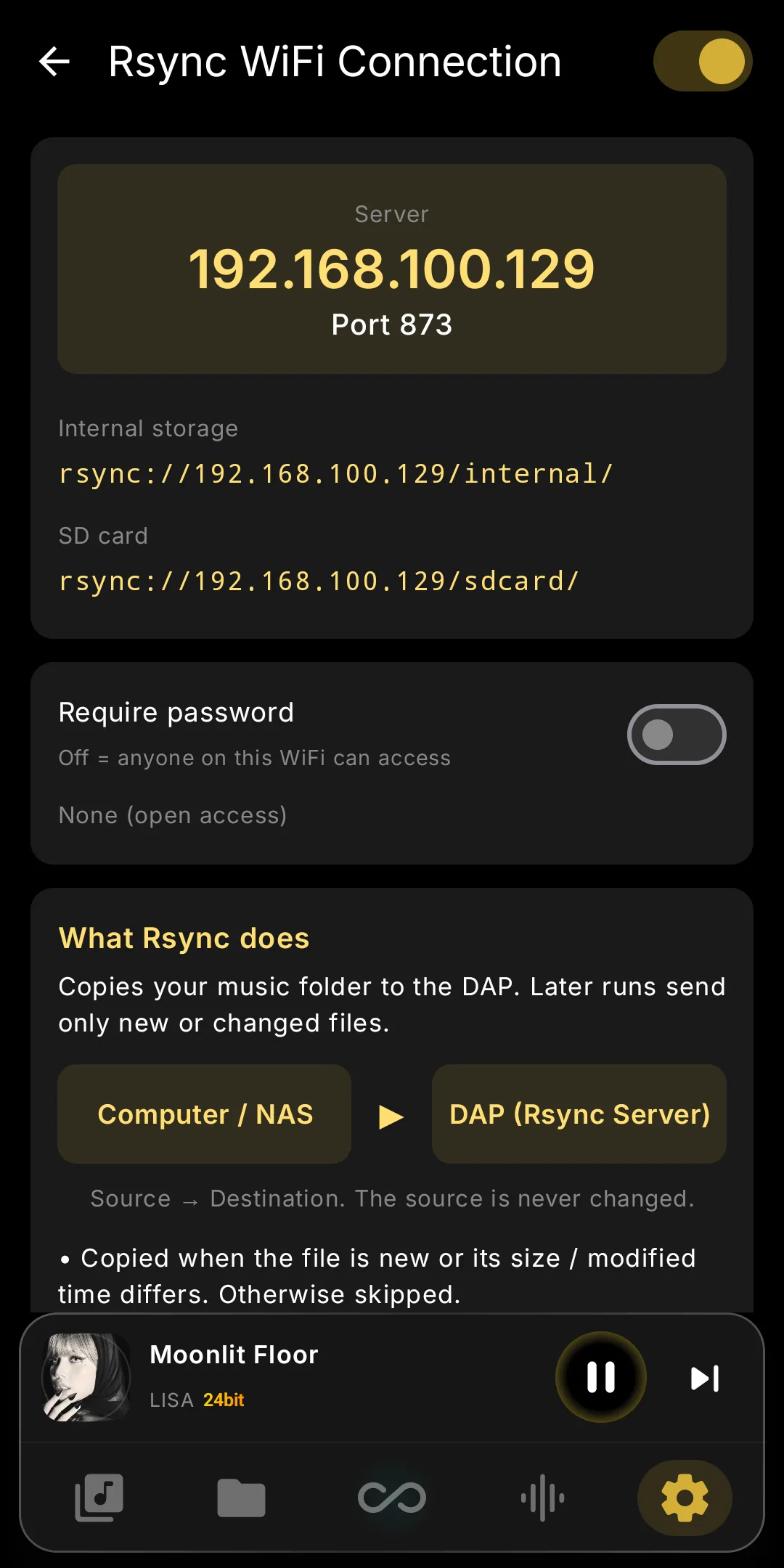
- Settings → Rsync tile → switch the server on. The screen shows the server address, port 873, the user name and a password (tap New password to change it).
- Pick your client. Windows: DeltaCopy (free). macOS: RsyncUI (free). Synology: Hyper Backup. Mac / Linux: plain
rsync. The DAP's Setup guide walks through each. - Point it at the DAP. Source = your Music folder; destination = the DAP's internal storage or SD card path shown on the screen. The source is never changed.
- Run it. On the command line the whole thing is one line — use the address and password from the DAP:
rsync -av --progress ~/Music/ rsync://[email protected]/sdcard/Music/
--delete (DeltaCopy: “Remove deleted files from server”; RsyncUI: “--delete parameter”). Try --dry-run first.Local Mode
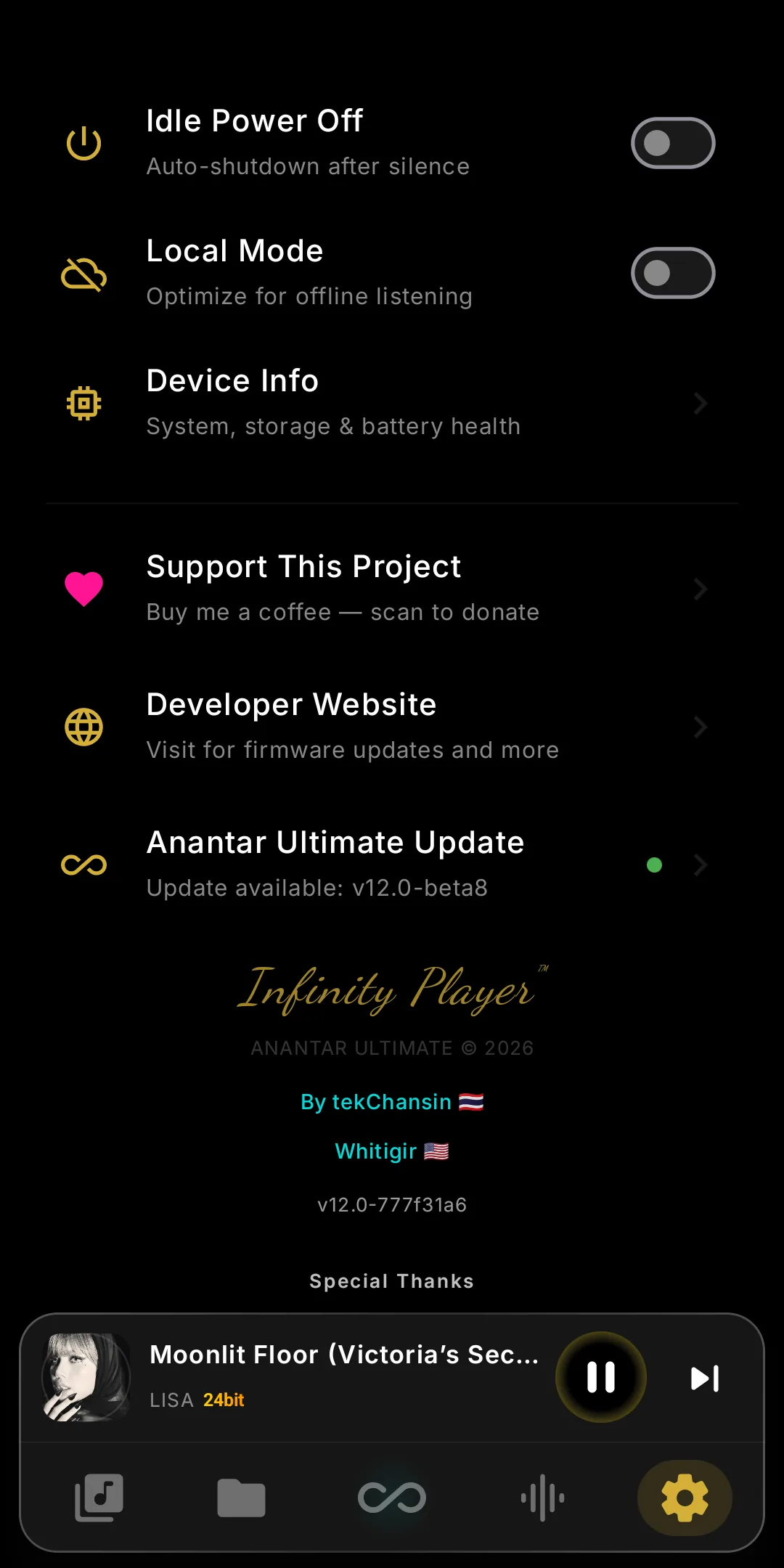
Settings → Local Mode suits flights, commutes and the purest listening. Wi-Fi and Bluetooth stay off across app restarts; streaming, UPnP, Internet Radio, WiFi Transfer and Rsync pause.
- Switch it on before you leave the house. Nothing else to do.
- Switch it off when you want the network back. The tiles wake up on their own; a paused feature shows “Paused — Local Mode has Wi-Fi off” until then.
If it does not work
The tile says “Unavailable — Local Mode has Wi-Fi off”. Switch Local Mode off first (Settings).
The browser cannot open the address. Phone and DAP need the same Wi-Fi; guest networks and router “AP isolation” block it. Type the numeric address exactly, port included.
Rsync on Windows. Windows has no rsync of its own — use DeltaCopy or cwRsync, or run the command line inside WSL.
Files arrived but do not show in the library. Give it a few seconds; if the folder is new, open Folders once. A full rescan is never needed for transfers.
The DAP went to sleep during a long rsync. Servers keep Wi-Fi awake; if it still drops, keep the screen on for the first big run, then turn the server off.