Switch to Infinity OS
Infinity OS comes with Anantar Ultimate V13. No reinstall, no reset.
- Update to Anantar Ultimate V13. Settings › Anantar Ultimate Update, then install. How to update →
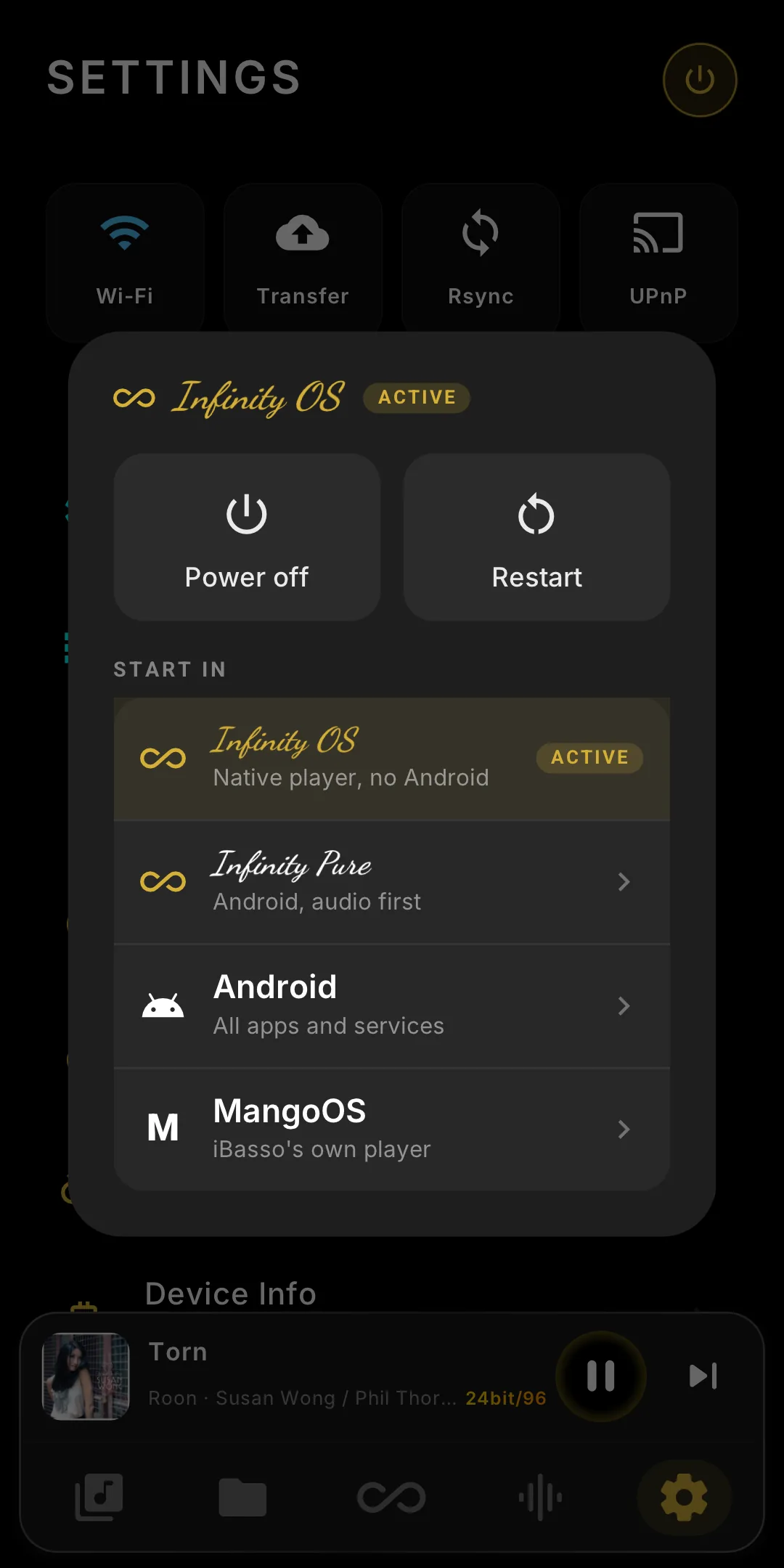
- Open the power menu. Settings › the power button at the top right (holding the DAP's power key opens it too).
- Tap Infinity OS. It is under START IN. Tap again to confirm, and the DAP restarts.
- Play. Your library, playlists and settings are already there. Pressed Play while it was starting? The music begins on its own when the DAP is ready.
- Going back. Same steps: power menu › START IN › Infinity Pure, Android or MangoOS. A plain Restart keeps you in Infinity OS.
HQPlayer, PGGB, Spotify and AirPlay
HQPlayer. The DAP becomes a Network Audio Adapter for HQPlayer on your computer: in HQPlayer, choose NetworkAudioAdapter. Music reaches the DAC untouched, DSD as true DSD. Now Playing shows HQPlayer's song, cover and playlist; to control HQPlayer from the DAP, press HQPlayer's “Allow control from network” button. The first time you switch it on, about 3 MB is downloaded.
PGGB. Plays the upsampled music from PGGB-Live on your computer. It reaches the DAC untouched, DSD as true DSD. Now Playing shows PGGB's song, cover and queue, and the DAP's buttons control PGGB. The first time you switch it on, the DAP downloads a small helper (about 2 MB).
Spotify Connect. Pick the DAP in the Spotify app and it plays at the best quality your account has, lossless included. You need Spotify Premium and your own free Spotify Soloist API key from Spotify for Developers; the Spotify page on the DAP shows a QR code so you can paste the key from your phone. Now Playing shows song, cover and queue; the DAP's buttons, shuffle and repeat control Spotify, and Spotify's volume slider moves the DAP's volume. The first time you switch it on, about 15 MB is downloaded.
AirPlay. Play from a Mac, iPhone or iPad on the same Wi-Fi. Now Playing shows the song, cover and progress, and you pause and skip from the sender. For lossless from a Mac, use Control Center › Sound (the Music app's AirPlay button sends AAC). The first time you switch it on, about 7 MB is downloaded.